How to stop unwanted emails on Gmail
To stop unwanted emails on Gmail, pick the right tool for each type of sender. Use Unsubscribe for legitimate marketing, Block for senders ignoring opt-outs, Report spam for actual spam, and Filters for everything else. Below is when to use which - and how to clear out the inbox in one shot.
Try ClearMyInbox free - bulk unsubscribe in one click, free to start.
Step 1: figure out what kind of unwanted email it is
Different senders need different responses. Three categories:
- Legitimate marketing (newsletters, promotions you signed up for, retailer mail) - unsubscribe.
- Persistent unwanted senders (recruiters, sales pitches, cold outreach) - block.
- Actual spam (phishing, scams, anything from a sender you don't recognize) - report as spam.
For marketing emails: unsubscribe
For real marketing mail, the unsubscribe link at the top of the message is the cleanest exit. Click it once and you're off the list - usually within minutes. Full walkthrough: how to unsubscribe from emails on Gmail.
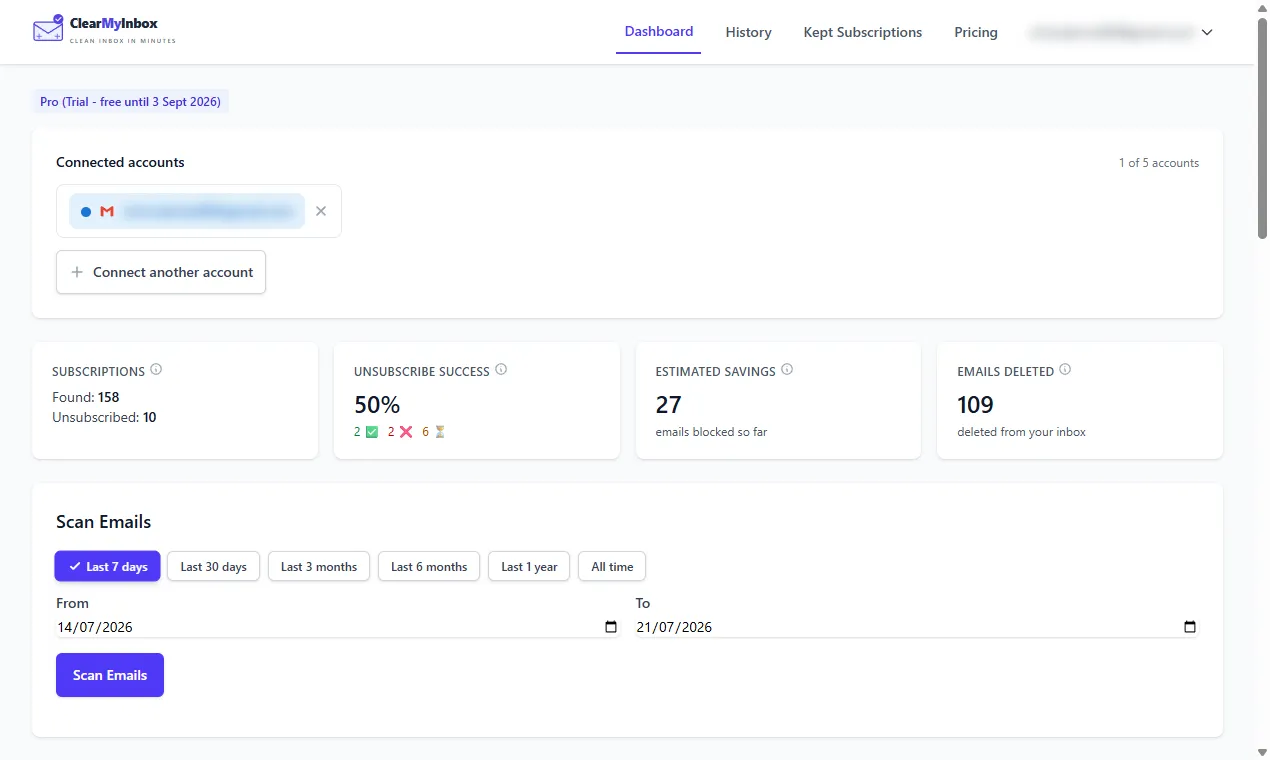
If you have dozens of marketing senders to clear out, doing them one at a time is painful. ClearMyInbox scans your inbox, surfaces every marketing sender, and lets you unsubscribe in bulk.
For unwanted senders: block
Blocking is for legitimate addresses you no longer want to hear from but that aren't spam (a recruiter who keeps reaching out, a company that won't take you off their list, a person you don't want emails from):
- Open any email from the sender.
- Click the three-dot menu in the top-right of the message header.
- Click Block "[sender name]".
- Confirm. Future mail from that address goes straight to Spam.
Note: blocking only affects messages from that exact email address. If a sender uses a different address (common for marketing platforms - news@brand.com vs updates@brand.com), you'll need to block each one or build a domain-wide filter.
For spam: report and delete
For phishing, scams, or anything obviously spammy:
- Open the email.
- Click the Report spam icon (exclamation mark in a stop sign) in the toolbar.
- For phishing specifically, click the three-dot menu and choose Report phishing.
Reporting trains Gmail's global spam filter, not just yours - so you're helping every Gmail user. For the full playbook on reporting, blocking, and domain filters, see how to block spam emails on Gmail.
For domain-wide problems: filters
If a single brand sends from many addresses, blocking them one at a time is futile. Build a filter that catches everything from their domain:
- Click the search bar at the top of Gmail.
- Click the filter icon (sliders) on the right.
- In From, enter
*@example.com(replace example.com with the offending domain). - Click Create filter.
- Tick Skip the Inbox and Delete it.
- Tick Apply filter to matching conversations to retroactively clean out existing mail.
- Click Create filter.
For volume: bulk unsubscribe
If "unwanted emails" really means "subscribed to dozens of newsletters years ago and never cleaned up," manual one-at-a-time unsubscribing won't get there in any reasonable time. ClearMyInbox finds every newsletter, promotion, and notification sender in your Gmail and lets you opt out of selected ones in batches. Our Gmail mass unsubscribe guide compares all the bulk approaches.
Frequently asked questions
What's the difference between Block and Mark as spam?▾
Blocking sends future mail from that sender to the Spam folder for your account only. Marking as spam does the same thing AND tells Google that the message looks like spam, which feeds Gmail's global filter. For obvious spam, mark as spam. For legitimate but unwanted senders, block or unsubscribe.
Why do I still get unwanted emails after unsubscribing?▾
CAN-SPAM gives senders 10 business days to honor your unsubscribe. If they keep emailing past that, mark every message as spam. If a single company runs multiple lists, you may be unsubscribed from one but not the others.
Can I stop emails from senders that don't have an unsubscribe link?▾
Yes. Block the sender, build a Gmail filter that auto-deletes messages from their address, or report the message as spam. Legally they should provide an unsubscribe link - reporting non-compliance is fair game.
How do I stop unwanted emails on the Gmail mobile app?▾
Tap the email, tap the three-dot menu in the top-right, choose Block [sender] or Report spam. The mobile app doesn't support filter creation - use the web for that.
Will Gmail eventually figure out which emails I don't want?▾
Partly. Gmail's filter learns from your spam reports and from messages you delete without opening, but it's not aggressive on borderline marketing. The fastest way to clean up is unsubscribing or blocking, not waiting for the filter.