How to deal with email overwhelm
Email overwhelm is a volume problem, not a willpower problem. It is the low, constant hum of stress that comes from an inbox where mail arrives faster than you can deal with it, and the messages that actually matter are buried under newsletters, promotions, and notifications you never chose to keep. The good news is that because it is a volume problem, it has a volume solution. This guide covers how to get past email overwhelm on Gmail and Outlook by cutting what comes in first, then clearing what is already there, and keeping it that way without a daily fight.
Try ClearMyInbox free - bulk unsubscribe in one click, free to start.
Why your inbox feels overwhelming
Open most overwhelmed inboxes and the same pattern shows up: the vast majority of it is subscriptions and marketing, and only a thin slice needs a human. The problem is that your brain does not know that until it looks, so every unread message registers as a small open loop - a decision you have postponed. A few thousand postponed decisions is genuinely tiring, even if you never consciously read them. This is why organizing folders rarely fixes overwhelm on its own: it rearranges the open loops without reducing them.
Cut the volume first (the highest-leverage move)
The single most effective thing you can do is receive less mail tomorrow than you did today. Everything else is secondary. So before you archive, label, or build a single filter, unsubscribe from the newsletters and marketing senders you do not actually read.
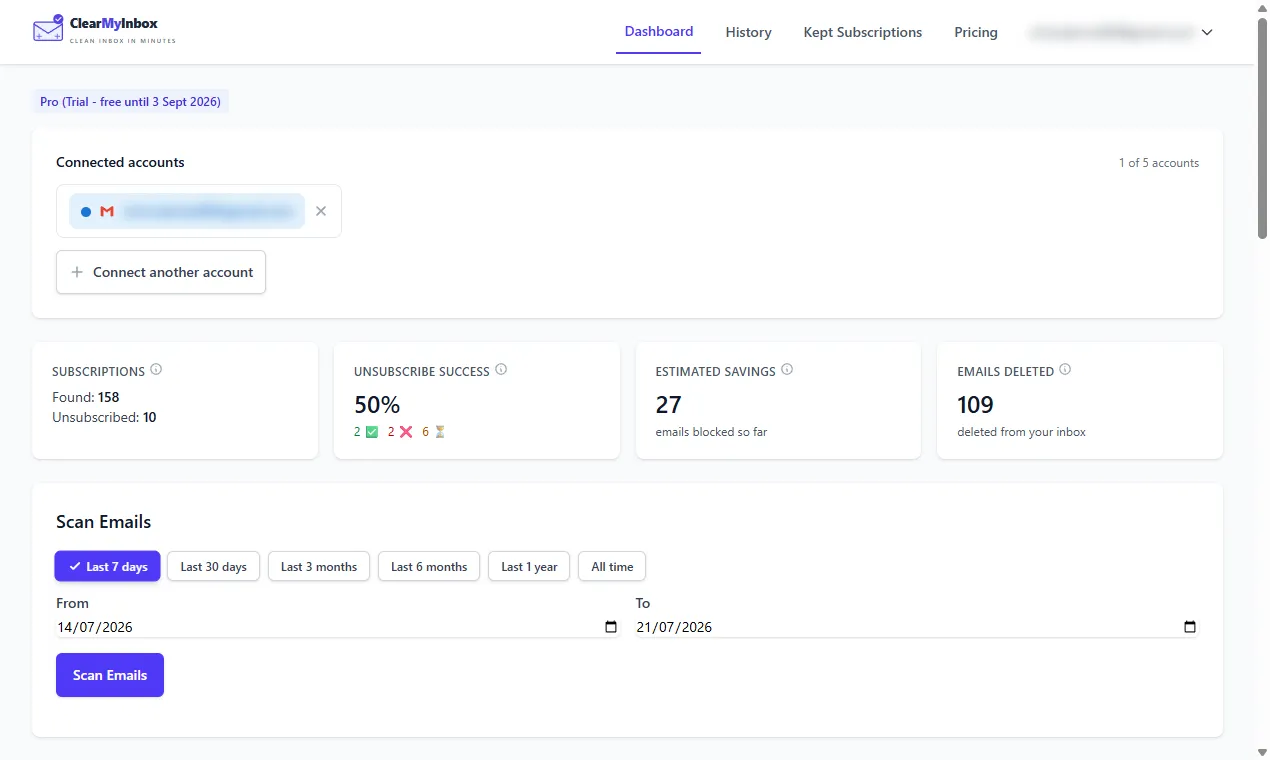
- Bulk unsubscribe. A tool like ClearMyInbox scans your inbox, groups every newsletter and promotional sender, and lets you opt out of dozens at once across Gmail and Outlook, so the daily inflow shrinks.
- Archive the backlog. Once less is arriving, select everything older than a couple of weeks and archive it. Archiving hides mail without deleting it, so you get a clean slate and can still search for anything later.
- Filter what remains. For senders you want but do not need to see immediately, set a filter to skip the inbox and land in a folder you check on your own schedule.
Why "just delete it" does not work
Deleting or filing a newsletter changes nothing about tomorrow - the subscription is still live, so it comes straight back. Only a real opt-out reduces the inflow. And unsubscribe links are not always reliable; some are broken, some are ignored, and some quietly re-add you later. ClearMyInbox is built around that: about 30 days after you unsubscribe it re-checks the sender and marks it Confirmed stopped, or flags the ones still emailing so you can deal with them. It also scores senders so the noisy, low-value ones are easy to spot and cut.
Keep it calm without chasing inbox zero
You do not need a perfect empty inbox; you need a quiet one. Aim for low volume rather than zero, and a couple of light habits keep it there: unsubscribe on the spot the moment something unwanted arrives, rather than deleting it again next week, and do a five-minute review once a week instead of reacting all day. The goal is not to process email faster - it is to have less of it to process at all.
For the step-by-step cleanup itself, see our guides to cleaning up a Gmail inbox, Gmail mass unsubscribe, and cleaning up an Outlook inbox.
Frequently asked questions
What causes email overwhelm?▾
Almost always volume, not disorganization. The typical overwhelmed inbox is 80 to 90 percent subscriptions, newsletters, and marketing mail that you never asked to keep receiving, with the handful of messages that actually need you buried inside it. Because each unread email is a tiny unresolved decision, a few thousand of them add up to a low, constant background stress. Fix the volume and most of the overwhelm goes with it.
What is the fastest way to reduce email overwhelm?▾
Cut the incoming volume first, before you try to organize anything. Bulk unsubscribe from the newsletters and marketing senders you do not read, so tomorrow's inbox is smaller than today's. Only then is it worth archiving the backlog and setting up filters. Reorganizing a flood you have not turned off is like bailing a boat without plugging the leak.
Should I aim for inbox zero?▾
Not necessarily. Inbox zero is a nice feeling but a demanding habit, and chasing it can become its own source of stress. A calmer and more durable goal is a low-volume inbox: few enough new messages each day that nothing important gets buried. Reducing what arrives gets you most of the benefit of inbox zero with almost none of the upkeep.
Does declaring email bankruptcy help?▾
Archiving everything older than a certain date can give you a clean slate and instant relief, and it is safe because archiving hides mail without deleting it, so you can still search for anything later. But a clean slate refills within weeks if the subscriptions are still active. Pair the archive with a bulk unsubscribe so the inbox stays clear rather than flooding again.
Is there a tool to help with an overwhelming inbox?▾
Yes. ClearMyInbox tackles the root cause: it scans your inbox, groups every newsletter and marketing sender, and lets you unsubscribe from dozens at once across Gmail and Outlook, then confirms which actually stopped. Less mail arriving is the highest-leverage fix for overwhelm. The free tier covers the first three scans, and it never sells your data.