How to clean up an Outlook inbox
The fastest way to clean a packed Outlook inbox: Sweep the biggest senders to delete their existing mail in one click, mass-unsubscribe to stop new clutter, archive everything older than a year, and build rules to keep the inbox clean automatically. Twenty to forty minutes of work. And if the backlog feels paralysing before you even start, our guide to email overwhelm tackles that side of the problem.
Try ClearMyInbox free - bulk unsubscribe in one click, free to start.
Step 1: identify and Sweep your worst senders (10 minutes)
Most Outlook inboxes are dominated by a handful of senders pushing hundreds of messages each. Find them, then nuke them with Sweep.
- In Outlook web, click the From column header to sort by sender. (In the new Outlook, you may need to switch to the column view first.)
- Scroll down. Senders with the biggest blocks of consecutive emails are your worst offenders.
- Click any email from one of them, then click Sweep in the toolbar.
- Choose Delete all messages from [sender].
- Repeat for each big sender. Each Sweep takes 5 seconds.
Step 2: mass-unsubscribe (5 to 10 minutes)
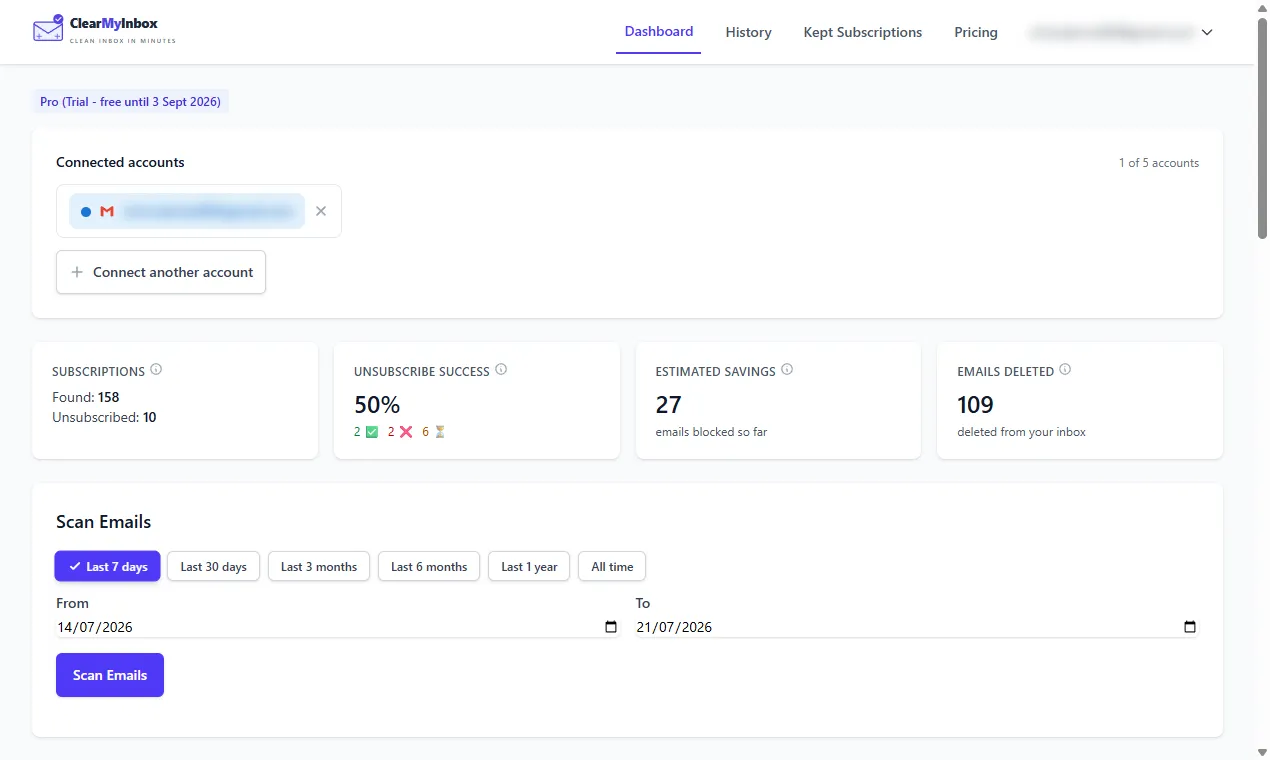
Sweep clears existing messages but doesn\'t unsubscribe you. Without the unsubscribe step, the same senders refill the inbox in days. ClearMyInbox connects to your Outlook account, finds every promotional and newsletter sender, and lets you opt out of selected ones in batches. Free to start, no credit card. Prefer to do it by hand? See how to unsubscribe from emails on Outlook.
Step 3: archive everything older than a year (5 minutes)
Old mail you haven\'t opened in months belongs in archive, not the inbox. Outlook\'s archive keeps everything searchable but out of view.
- In the search bar, type
received:<1y(in the new Outlook) or use the date filter dropdown. - Select all matching results.
- Click Archive in the toolbar (or press Backspace if you've set up the keyboard shortcut).
Step 4: build rules for ongoing cleanup (10 minutes)
Rules auto-handle incoming mail. Three high-value rules to set up:
- Auto-archive newsletters: Settings → Rules → Add new rule. Condition: Body or subject contains "unsubscribe". Action: Move to "Newsletters" folder. Now newsletters land in a folder for batch reading instead of cluttering your inbox.
- Auto-archive notifications: Condition: From contains "notify@", "no-reply@", or "donotreply@". Action: Move to "Notifications" folder.
- Mark mailing lists as read: Condition: Has header "List-Id". Action: Mark as read, Move to a folder.
Step 5: enable Auto-archive (2 minutes)
Outlook can move old mail to Archive automatically:
- Settings → Mail → Storage (or Auto-archive depending on Outlook version).
- Set the threshold (e.g. 6 months, 1 year).
- Save. Outlook now archives mail older than the threshold automatically.
Step 6: empty Deleted Items and Junk (1 minute)
Mail in Deleted Items and Junk still counts against your storage. To free it:
- Right-click Deleted Items in the sidebar.
- Click Empty folder.
- Repeat for Junk Email.
Or set both to auto-empty: Settings → Mail → Storage → Empty Deleted Items every X days.
Maintain it
- Once a week, glance at the Newsletters and Notifications folders. Bulk delete what you don't want.
- When a new sender shows up in your inbox, decide immediately: keep, unsubscribe, or rule.
- Re-run the unsubscribe scan every few months to catch newly-acquired subscriptions.
Frequently asked questions
What's the fastest way to delete thousands of Outlook emails?▾
Sort by sender (click the column header in the new Outlook), select a chunk, shift-click the bottom of the chunk, hit Delete. Repeat. For a full mass purge, use Sweep on the largest senders first - it deletes every message from one sender in a single click.
Should I delete or archive in Outlook?▾
Archive. Outlook's search finds archived mail in milliseconds and storage isn't a concern unless you're on a tiny plan. Delete only when you're sure you'll never need the message again.
Does Outlook auto-archive old emails?▾
Not by default - you have to enable it. Settings → Mail → Auto-archive. Set a rule like "archive messages older than 6 months" and Outlook handles it from then on.
How do I free up Outlook storage?▾
Empty Deleted Items, empty Junk, find big attachments with the search bar (hasattachment:yes size:>10MB), and remove old shared files.
Will cleaning up affect my contacts or calendar?▾
No. Inbox cleanup only touches mail. Contacts, calendar, and tasks are separate.