ClearMyInbox
Scan it, clean it, reclaim it.We keep it protected.The bulk unsubscribe tool for Gmail and Outlook.
We find every sender subscribing you to something, unsubscribe you from all of them in one click, then check they actually stopped.
Free to start. No card needed.
Works with your inbox
 Connect Gmail
 Connect Outlook
 Connect Yahoo
 Connect IMAP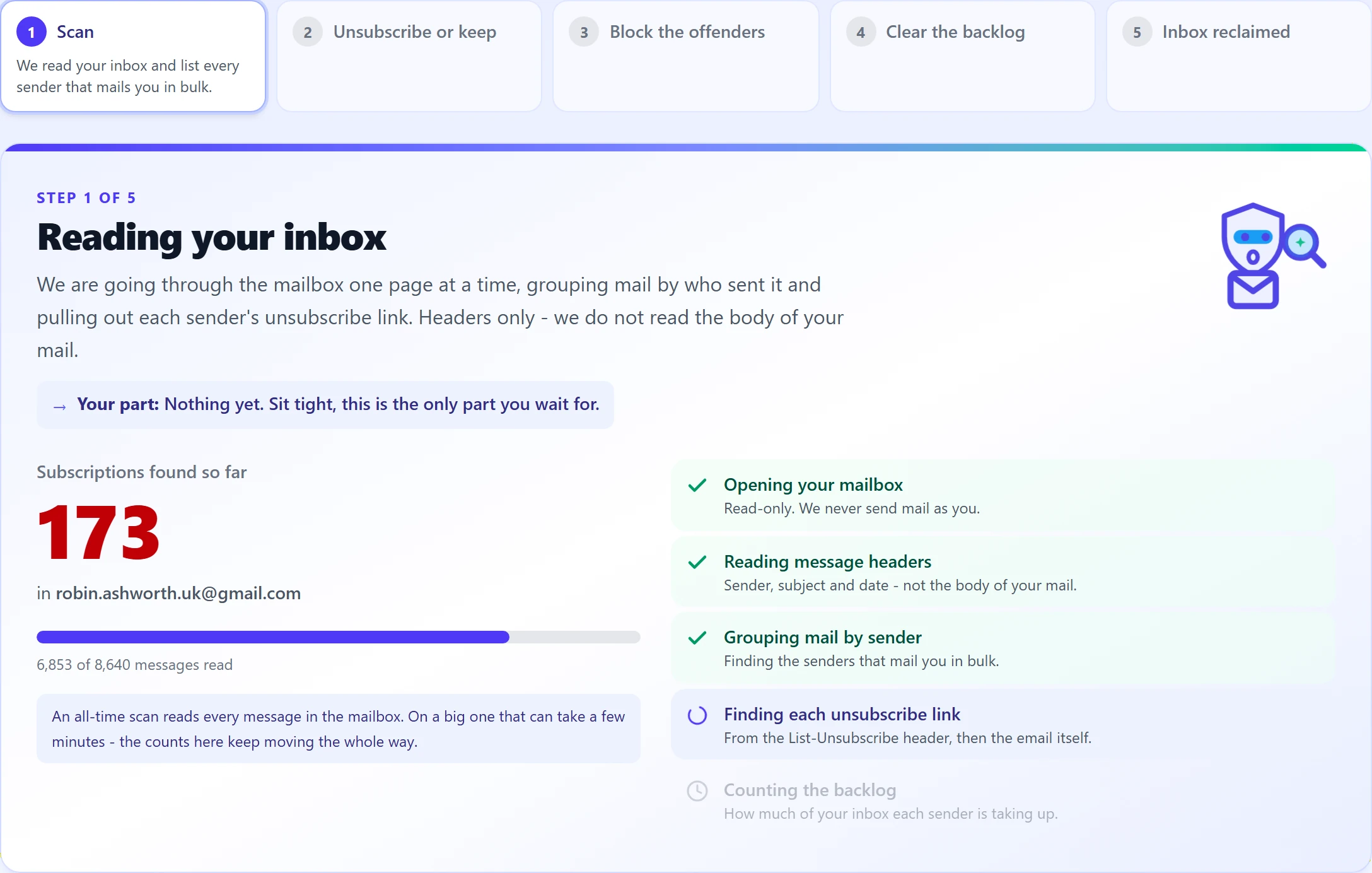
- No credit card to start
- Google-verified app
- We never store your email content
- GDPR-aligned
How it works
Bulk unsubscribe in four steps. You do three of them once.
Scan it.
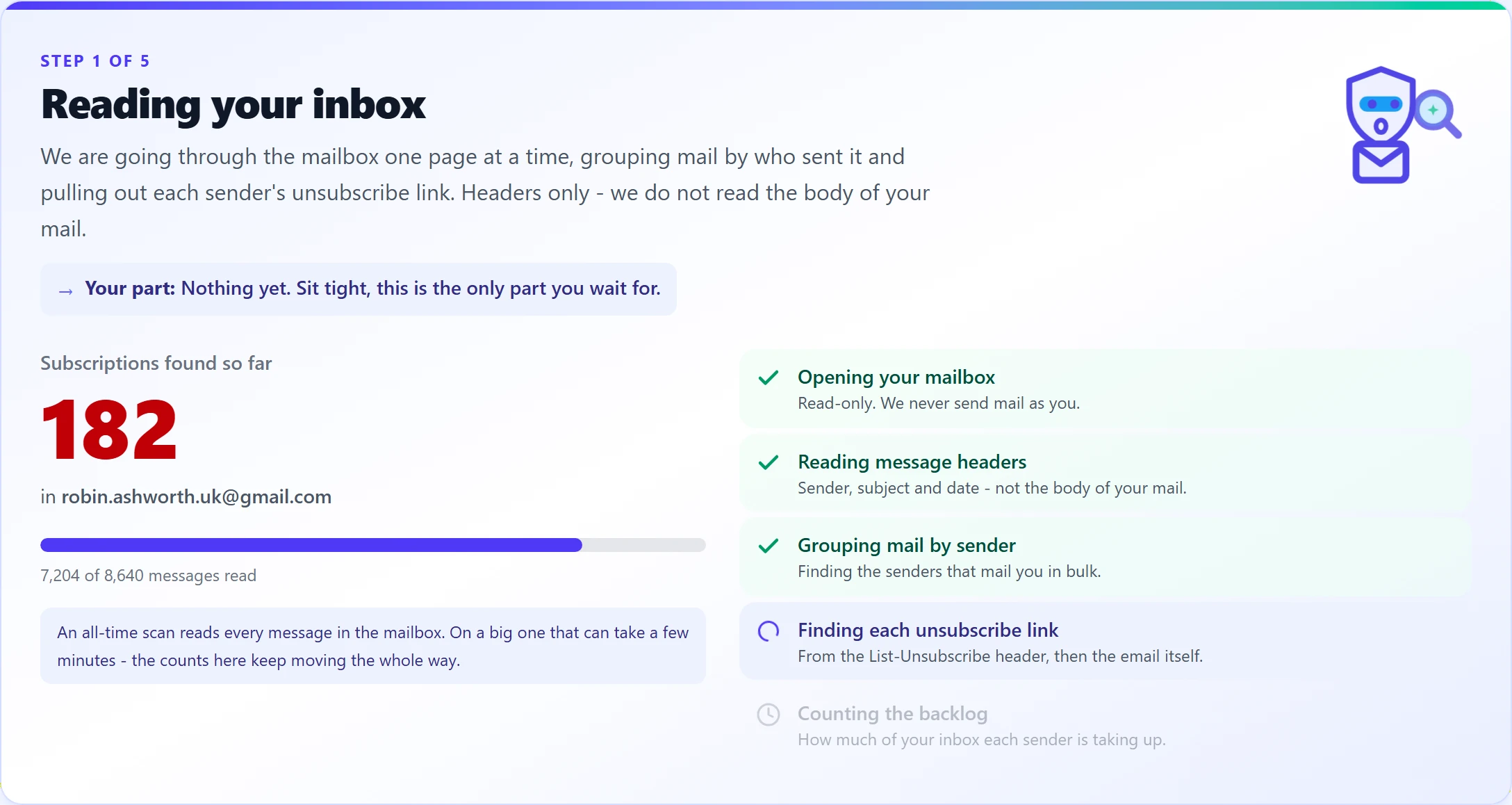
Connect your inbox and we check every sender subscribing you to something, not just the handful you remember signing up for. You get a number, and it is usually a shock.
Clean it.
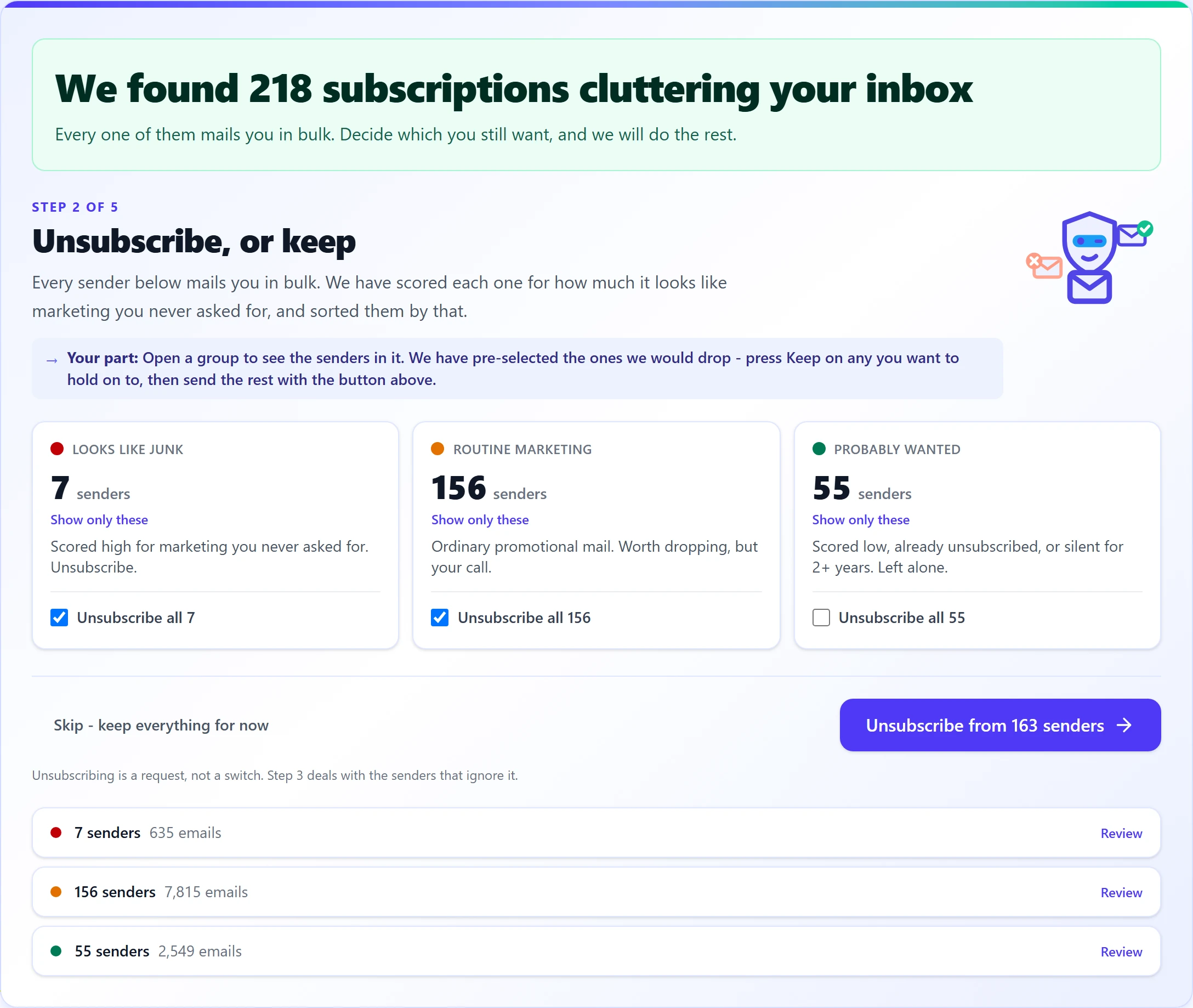
We sort all of them into three piles - looks like junk, routine marketing, probably wanted - and pre-select the ones to drop. Press Keep on any you disagree with, then unsubscribe from the rest in one click.
Reclaim it.
Clear the backlog they left behind, and what remains is the mail you actually wanted. The messages that were always in there, underneath everything else.
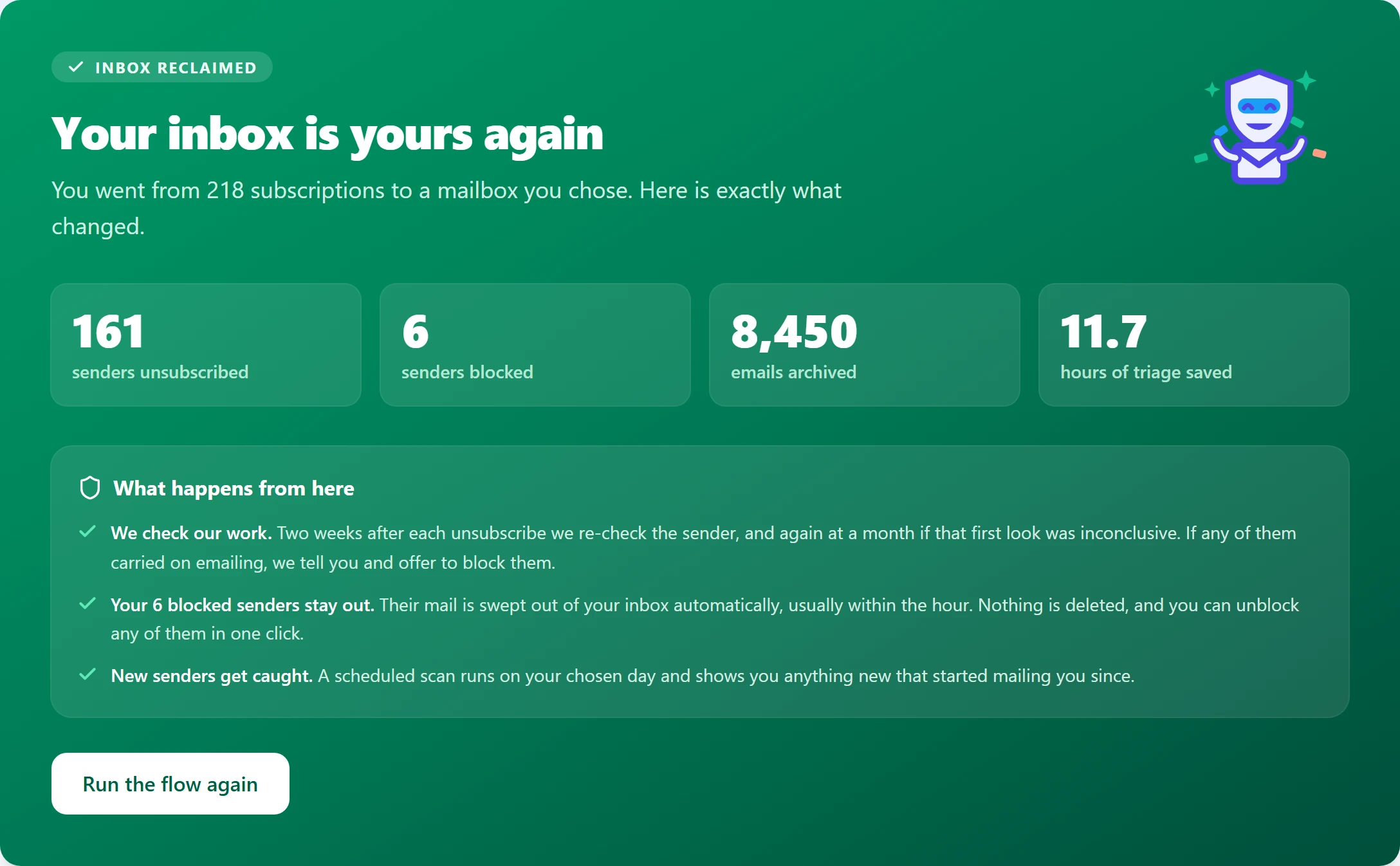
We keep it protected.
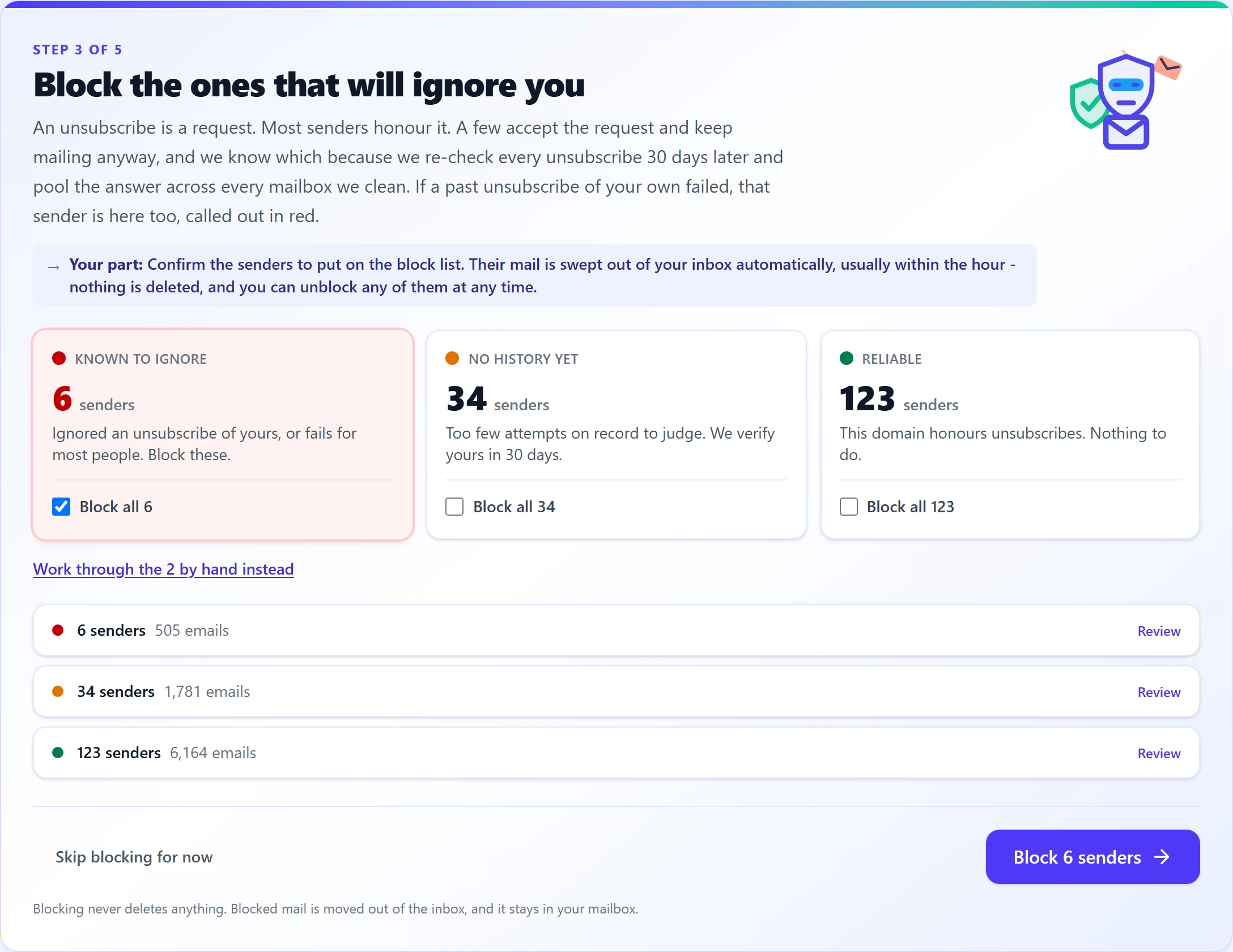
Later we go back and check each sender actually stopped. The ones that ignored you, we tell you about and block: their mail is swept out of the inbox automatically, usually within the hour. Then we keep watching, because you will sign up to things again. Everybody does.
Free browser extension
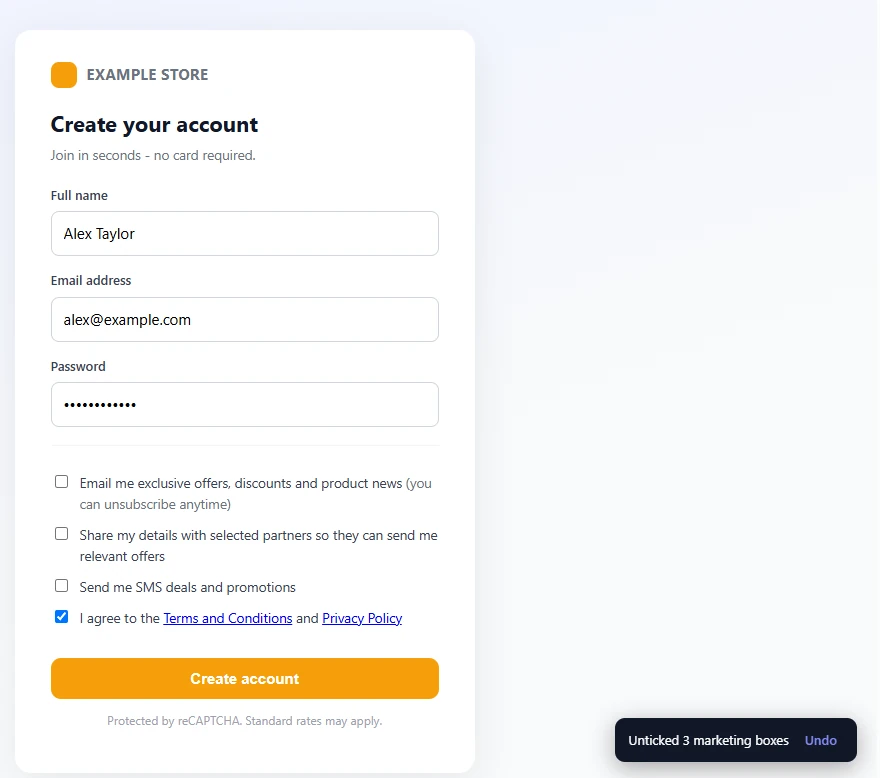
Unsubscribing cleans up the inbox you have. This stops the next wave starting.
Half the marketing you get is from a box that was already ticked when you signed up. Marketing Box Guard unticks those for you, on any signup or checkout form, and never touches Terms, age, or consent boxes.
Privacy
We never sell your inbox data.
Some inbox cleaners are free because you are the product: your mail gets packaged up and sold on to market researchers. That is not a business model we are willing to have, so we charge money for software instead.
Never sold, ever
Your inbox data is not sold, not licensed, and not shared for anyone else's marketing. Not anonymised, not aggregated, not "with partners".
Never used for marketing
We read your mail to find unsubscribe links and to check whether senders stopped. That is the entire purpose. Nothing else, and we never store your email content.
Independently assessed
Assessed under Google's CASA programme for restricted Gmail access. Credentials encrypted at rest. Delete your account and the data goes with it.
Pricing
Clean it once. Keep it clean for the price of a coffee.
Casual
See pricingMonthly or annual
- Everything unlimited
- Scheduled scans and blocking
- AI scoring and analytics
Professional
See pricingMonthly or annual
- Everything in Casual
- Up to 5 mailboxes
Not a subscription person? Go Lifetime for a single payment - Professional forever, one payment. Full details on the pricing page.
Frequently asked questions
Can't I just do this myself, or ask an AI to?
You can unsubscribe yourself, and it will take a long evening. What neither you nor an AI assistant will do is come back in thirty days and check, sender by sender, which ones actually stopped. That is the part that matters, and it is the part nothing else does.
What is a bulk unsubscribe tool?
A bulk unsubscribe tool scans your inbox for newsletters and marketing senders, finds the unsubscribe link for each one, and lets you unsubscribe from many senders at once instead of opening every email and hunting for the tiny link in the footer. ClearMyInbox works this way with Gmail, Outlook, Yahoo, and any IMAP inbox.
Is ClearMyInbox free?
Yes. The Free plan includes unlimited scans, 10 free auto-unsubscribes each month, and 1 email account. Four plans in total - Free, Casual, Professional, and Lifetime - so you only pay for what you need, from a monthly clean-up to everything forever.
Doesn't Gmail's spam filter already handle this?
No, because this is not spam. These are senders you legitimately signed up to at some point, so Gmail delivers them correctly. The problem is not that they got through, it is that you no longer want them and asking them to stop does not always work.
Does it work with Outlook and other email providers?
Yes. ClearMyInbox connects to Gmail via Google OAuth, and to Outlook and Hotmail via Microsoft OAuth. Yahoo, iCloud, AOL, Fastmail, and any other IMAP-compatible provider connect via IMAP with an app password.
Is it safe? Do you see my emails?
We scan email headers and metadata first. When a sender has no standard unsubscribe header, we parse the email's HTML body in memory, during the scan only, to extract the unsubscribe URL. We never store your email content, never sell or share your data, and comply with the Google API Services User Data Policy.
What if a sender ignores my unsubscribe request?
Plenty of senders carry on after you unsubscribe, and normally nobody tells you. We go back and check, then show you which senders actually stopped and which ignored you. Block the ones that ignored you and their mail is swept out of the inbox automatically, usually within the hour. Blocking never deletes anything you already have, so you can still clear the backlog separately.
More questions? Read the full FAQ
Guides: Gmail mass unsubscribeUnsubscribe on GmailUnsubscribe on Outlook
Scan it, clean it, reclaim it.
We keep it protected.
Free to start, no card needed. Connect Gmail and see the number in about a minute.