How to block emails on Yahoo Mail
To block emails on Yahoo Mail, open Settings, then More Settings, then Security and Privacy, and add the address under Blocked addresses. Yahoo lets you block up to 1,000 addresses that way. A block covers one exact address: the same sender writing from a new one still reaches you, which is why unsubscribing comes first.
Try ClearMyInbox free - bulk unsubscribe in one click, free to start.
Block an email address in Yahoo Mail on a computer
Yahoo documents the block for the desktop browser, in two versions of the layout:
- Open Yahoo Mail in your desktop browser.
- Click the Settings icon, then More Settings. In the new Yahoo Mail layout, click the More icon on the left below your mail folders, then Settings.
- Click Security and Privacy.
- Under Blocked addresses, click Add.
- Enter the email address you want to block.
- Click Save.
To unblock an address, return to Security and Privacy, mouse over the address and click the Delete icon. Yahoo's page says the list takes up to 1,000 addresses and that adding to it is anonymous: the sender is not told. Once the list is full you cannot add another address until you delete some. The page does not say where mail from a blocked address goes, so treat a block as final for that address and keep anything you still need before you add it.
Block a sender from an open email in AT&T Yahoo Mail
Yahoo's main articles only document the settings route above, which means typing the address. The AT&T Yahoo Mail edition of the same article documents a block from the message itself, with the option to clear out what the sender already sent:
- Open an email from the sender, or select it in your mailbox.
- Click the More icon, then click Block Senders.
- Optionally, select to also delete emails you have received from the sender.
- Click Ok.
Unblocking is the same Security and Privacy page as everywhere else, and the same 1,000-address limit applies. If your Yahoo Mail shows a Block Senders item under More, this is what it does; if it does not, the settings route is the documented one.
Block emails on Yahoo on iPhone or Android
Yahoo's help centre documents blocking a single address from the desktop browser only; the app editions of the same article repeat the desktop steps. On a phone, the dependable route for one address is therefore a browser on a computer and the steps above. What the app does document is blocking a whole domain, which needs Yahoo Mail Plus:
- Tap the Profile icon.
- Tap the Settings icon.
- Under Block unwanted sender domains, tap your Yahoo account if a list of accounts shows.
- Tap + Add a domain.
- Enter the domain you want blocked.
- Tap Ok or Add.
Block a whole domain with Yahoo Mail Plus
The same domain block on a computer, in the new Yahoo Mail layout:
- Click the More options icon, then select Settings.
- Click Security and Privacy.
- Under Block unwanted sender domains, click Add.
- Type in the domain you want blocked.
- Click Save.
Yahoo Mail Plus lets you block up to 500 domains while the subscription is active, and Yahoo says blocking a domain also unsubscribes you from the brand. The option may not show on every account yet; Yahoo offers it only with Mail Plus at the moment. On a free account, blocking stays per address, so a sender with several addresses means several entries, or a filter.
Block emails with certain words, or from a domain, with a Yahoo filter
Filters are on every Yahoo account, Plus or not, and Yahoo says they sort new emails to a folder or to Trash automatically, which makes a filter to Trash the free account's nearest thing to a domain block. In the new Yahoo Mail layout:
- Open Yahoo Mail in your desktop browser.
- Click the More icon on the left, below your mail folders, then select Settings.
- Click Filters.
- Click Add new filters.
- Enter the filter name, set the filter rules, and choose or create a folder for the emails.
- Click Save at the bottom.
Yahoo allows up to 500 filters, applied from the top down: when two filters match the same email, the top one wins, and the up and down arrows above the list change the order. A filter also answers the "block emails with certain words" question that the blocked list cannot, since the list matches addresses only.
Unsubscribe first from Yahoo mail you signed up to
A newsletter, a shop's offers or an app's notifications should be unsubscribed from, not blocked. A block hides one address and leaves the subscription running; the next campaign from a new address comes straight back, and the list stays full. The unsubscribe link in the message footer asks the sender to stop rather than asking Yahoo to hide, and it is the only control that reaches them. What that link does, and why it sometimes fails, is the same in every mailbox, so our guide on how to unsubscribe from emails explains it once, and the inbox cleanup guides index has the other mailboxes.
Senders that ignore unsubscribe: what ClearMyInbox does
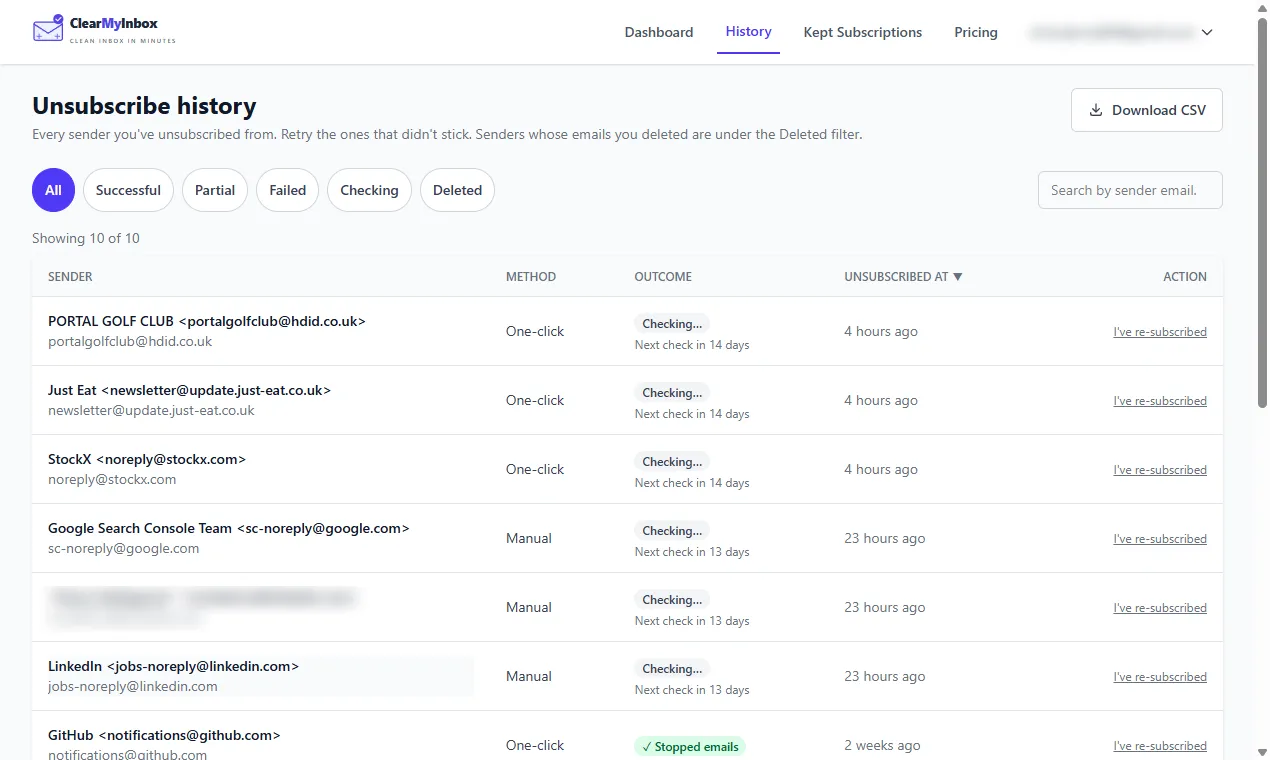
ClearMyInbox is a bulk unsubscribe tool. It scans a mailbox for every sender with an unsubscribe link, unsubscribes from the senders you pick in one go, then re-checks each one and labels it Confirmed stopped or flags it as still emailing. That second list is the one to block: senders that have ignored a proper request. It works through the sender's own unsubscribe, so it complements a blocked list rather than replacing it.
Questions about blocking in Yahoo Mail
Why are blocked emails still coming through on Yahoo?
Compare the address on the new message with the one you blocked. A block matches one exact address; senders rotate addresses and spammers forge them, so the next message often comes from one you have not listed. Add it, or put the shared domain into a filter to Trash, or a Mail Plus domain block. If the mail is from a list you once joined, unsubscribe as well, or the sender simply keeps writing from wherever it writes next.
Can I block emails on Yahoo and bounce them back to the sender?
No. Nothing on Yahoo's help pages rejects a message or returns it to the sender; the blocked list only decides what reaches you. If the point is to make a particular sender stop, that takes a reply or an unsubscribe, because those are the only things the sender ever sees.
Is it better to block spam emails or just delete them?
Deleting changes nothing about the next message. Blocking stops that one address, which helps against a persistent individual and does little against spam that changes address every time. For spam, marking it as spam in Yahoo Mail teaches the filter; for mail you signed up to, unsubscribing is the only step that reaches the sender. Block is for the sender you never agreed to hear from who keeps using the same address.