How to unsubscribe from emails on Yahoo
To unsubscribe from emails on Yahoo, open the message in the Yahoo Mail app, tap the More icon and tap Unsubscribe, or open the app's Unsubscribe tab and clear mailing lists from there. On a computer, Yahoo offers Unsubscribe when you mark a trusted mailing list as spam. Marking as spam alone does not unsubscribe you.
Try ClearMyInbox free - bulk unsubscribe in one click, free to start.
Unsubscribe in Yahoo Mail on a computer: the spam prompt route
Yahoo's help centre documents one desktop route, and it starts from the spam button. When you mark a message from a mailing list as spam and Yahoo trusts the sender, Yahoo offers to unsubscribe you instead of filing the message as spam:
- Go to Yahoo Mail in your desktop browser.
- Select the email from the list you want to leave.
- Click Mark as spam.
- If the prompt offers it, select Unsubscribe. Yahoo's page says you will then no longer receive messages from that mailing list.
The other choice in that prompt, Report as spam, marks the message as spam and moves it to the Spam folder, and Yahoo routes future mail from the sender there too. That hides the sender from you; it does not take you off the list. Yahoo announced a separate Unsubscribe button in its newsroom, "an easy-to-find button when opening a message" that can be reversed for three seconds after the click, for its iOS and Android apps. Yahoo's desktop help pages do not document that button, so the spam prompt above is the route Yahoo writes up for a computer.
Where is the Yahoo Mail unsubscribe button in the app?
In the Yahoo Mail app on iPhone and Android the button is behind the More icon of an open message, and Yahoo's app help centre gives the taps:
- Tap an email to open it.
- Tap the More icon (three dots on iOS, the stacked icon on Android).
- Tap Unsubscribe.
If the open message has no Unsubscribe option, Yahoo says to flag it as spam or to try the Unsubscribe tab:
- Tap the Unsubscribe view tab.
- Under the mailing list you want to leave, tap Unsubscribe.
- Tap Unsubscribe again to confirm.
Yahoo's page describes the tab as mailing lists with an Unsubscribe under each, so it is where to look when you cannot find a sender's latest email.
Is there a way to mass unsubscribe from emails in Yahoo?
Not in one action. The Unsubscribe tab in the app shows the lists together, but each one takes its own two taps, and the desktop spam prompt works on one message at a time. Nothing on Yahoo's help pages selects several lists and unsubscribes from them together. Working through the tab is still the quickest route Yahoo offers: the list is already sorted into senders, so twenty subscriptions is a few minutes, not an afternoon of opening emails. Yahoo Mail Plus subscribers have one more option, a domain block that Yahoo says also unsubscribes you from the brand; the steps and the 500-domain limit are in our guide to blocking emails on Yahoo Mail.
What if there is no unsubscribe option in Yahoo Mail?
Yahoo shows its Unsubscribe controls for mailing lists it recognises. When a message has none, you have three choices, and the order matters:
- The sender's own link. Scroll to the bottom of the message. Legitimate newsletters and shops carry an unsubscribe or preferences link in the footer, and it reaches the sender directly, which is the only thing that stops the mail at its source.
- Mark as spam, for mail you never signed up to. Yahoo's page says this trains its filter and routes future mail from the same sender to the Spam folder. Yahoo also advises never replying to a subscription email to ask to be removed, and never signing up with sites that claim to remove you from spam lists, which it says are often address collectors.
- Block or filter, for a sender that keeps coming. Yahoo's blocked list holds up to 1,000 addresses and a filter can send a whole domain to Trash. Both are in how to block emails on Yahoo Mail.
Yahoo adds that its spam actions work best in its own apps or on the web: it recommends turning off the spam filters of third-party mail programs rather than managing spam through them, because those are outside its control.
How do I unsubscribe from Yahoo's own newsletters and offers?
Mail from Yahoo itself has its own help page. You can unsubscribe from Yahoo newsletters, special offers, marketing emails and Premium Services product updates, and Yahoo says it can take up to 10 days for them to stop:
- Open the Yahoo email you want to stop and scroll to the bottom.
- Click Unsubscribe. A new window asks whether you are sure.
- Click Yes, Unsubscribe to confirm.
You cannot unsubscribe from service outage updates, Privacy Policy and Terms of Service changes, notices about a discontinued service, billing notifications or the welcome message for a new product. Yahoo also warns that its unsubscribe tools and Marketing Preferences apply only to email Yahoo sends, not to mail other people send through Yahoo's servers, and that a "Yahoo" email arriving after you unsubscribed is likely phishing from an address made to look official.
Why am I still getting emails after unsubscribing on Yahoo?
Four usual reasons. The sender has not processed the request yet: Yahoo gives itself up to 10 days for its own mail, and other senders take days too. The company runs several lists, and the Unsubscribe you used covered one of them, so check the footer of the next message for a preferences page. The mail is from a new address or a different brand of the same company, which Yahoo's spam filter treats as a new sender. Or the message is not from the company at all: Yahoo's own page on mail received after unsubscribing says it is likely phishing. Mark that as spam and leave its links alone.
Deleting and marking as spam are not unsubscribing
Deleting a newsletter removes one copy; the list keeps sending. Marking as spam moves the sender's future mail to the Spam folder, which Yahoo says does not count toward your storage, but the sender still counts you as a subscriber and the mail still arrives. Only the Unsubscribe controls above, or the sender's own link, reach the list. If the inbox is already full of old newsletters, clear them after unsubscribing with our guide to mass deleting emails in Yahoo Mail. The same distinction holds in every mailbox: our guides to unsubscribing from emails on Gmail and unsubscribing from emails on Outlook cover those controls.
ClearMyInbox, for the Gmail or Outlook mailbox you also have
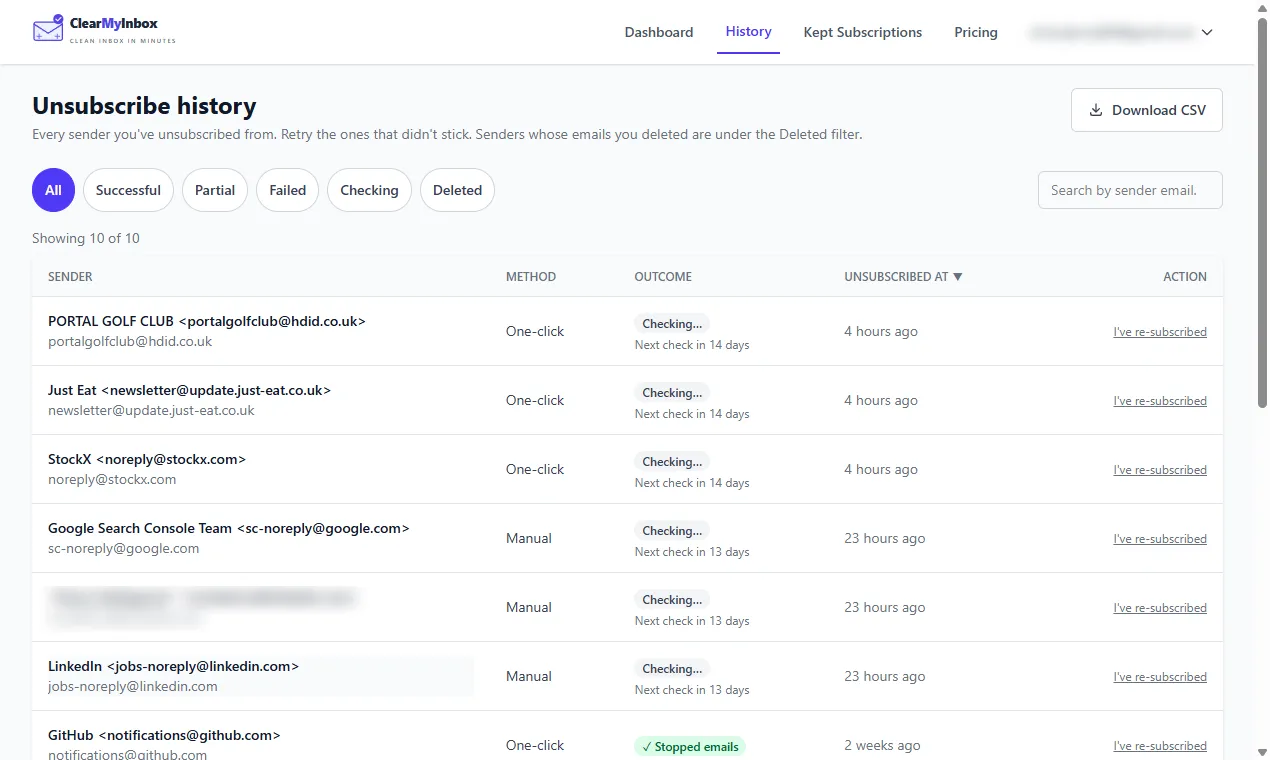
The same job on a Gmail or Outlook mailbox is what ClearMyInbox is built for. Sign in with Google or Microsoft and it reads the mailbox for senders whose messages carry an unsubscribe link, shows how many emails each has sent, and sends the request for all the senders you tick at once. Then it keeps checking: a sender that goes quiet is marked Confirmed stopped, one that keeps writing is flagged as ignoring the request, and the flagged ones are the candidates for a block. Free covers 10 automatic unsubscribes a month, Casual adds blocking, scheduled scans and AI spam scoring, and the mailbox can be disconnected whenever you like; the help centre answers product questions.
Questions about unsubscribing in Yahoo Mail
How do I unsubscribe from emails on Yahoo on my iPhone?
Yahoo's app page gives one set of taps for iOS and Android, so the Yahoo Mail app on an iPhone is the section above. Yahoo also says its spam actions work best in its own apps or on the web and that third-party mail programs are outside its control, so for a Yahoo account read in the iPhone's built-in Mail app, do the unsubscribe in the Yahoo Mail app or a browser; what Apple's Mail documents for its own accounts is in our guide to unsubscribing from emails on iPhone.
Why can I no longer block spam emails on Yahoo?
One cause Yahoo's pages support is a full blocked list: Yahoo says the list takes up to 1000 addresses, so once it holds that many, the next address needs a space made for it. Yahoo's answer for spam is Mark as spam, which it says trains its filter and routes future mail from the same sender to Spam. Where the list lives is in how to block emails on Yahoo Mail.