The best email productivity tools for Gmail and Outlook
The best email productivity tools do one of five things well: they show you where your email time actually goes, cut the volume of mail you have to deal with, turn the messages you keep into trackable tasks, help you write and send faster, or make sure you follow up on the threads that matter. Stacking five apps that all promise inbox zero rarely helps. Picking one tool per job does. Here are the email productivity tools worth your time in 2026, for Gmail and Outlook, grouped by the problem they solve rather than ranked one to ten.
Try ClearMyInbox free - bulk unsubscribe in one click, free to start.
Email productivity tools at a glance
| Tool | Best for | Works with | Free tier |
|---|---|---|---|
 EmailAnalytics EmailAnalytics | Seeing where your email time goes | Gmail, Outlook | 14-day trial |
 ClearMyInbox ClearMyInbox | Cutting inbox volume for good | Gmail, Outlook | Yes - free plan available |
 this+that this+that | Turning kept messages into tasks | Gmail, Outlook, Slack, Teams | Yes - free for now |
 Text Blaze Text Blaze | Writing repetitive replies fast | Gmail, Outlook, any web | Yes |
 Boomerang Boomerang | Scheduling and follow-ups | Gmail, Outlook | Yes - limited |
Start by measuring: where does your email time go?
Before you optimize anything, it helps to know the shape of the problem. EmailAnalytics connects to Gmail or Outlook and turns your email activity into readable metrics: average response time, emails sent and received per day, your busiest hours, and how a team compares. It is aimed at managers and customer-facing teams, where faster responses genuinely mean more sales and happier customers, but individuals use it too, to see whether email is quietly eating more of the day than it feels like.
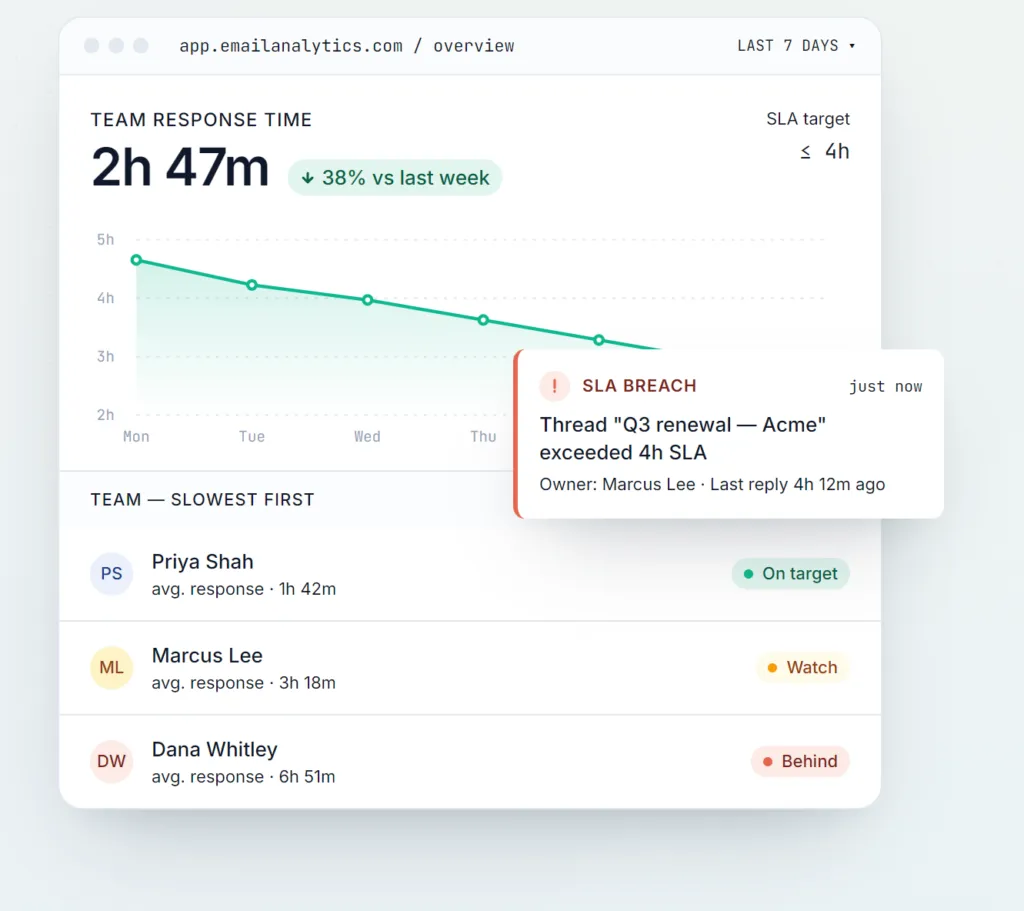
Analytics is the least glamorous category on this list and often the most useful. You cannot fix what you cannot see, and most people badly underestimate how much time email actually takes until they look at the numbers.
Cut the volume: unsubscribe from what you never read
The single highest-leverage email productivity move is receiving less mail in the first place. That is the job ClearMyInbox does. It scans your inbox, groups every newsletter and marketing sender it finds, and lets you unsubscribe from dozens at once across Gmail and Outlook. The part that sets it apart is verification: thirty days after each unsubscribe it re-checks the sender and tells you whether they genuinely stopped or are quietly still emailing, so a broken unsubscribe link does not silently undo your work.

Fewer senders means fewer decisions, and fewer decisions is what productivity actually comes down to. If you want to try the manual version first, our guide to cleaning up a Gmail inbox walks through it step by step.
Turn the messages you keep into tasks
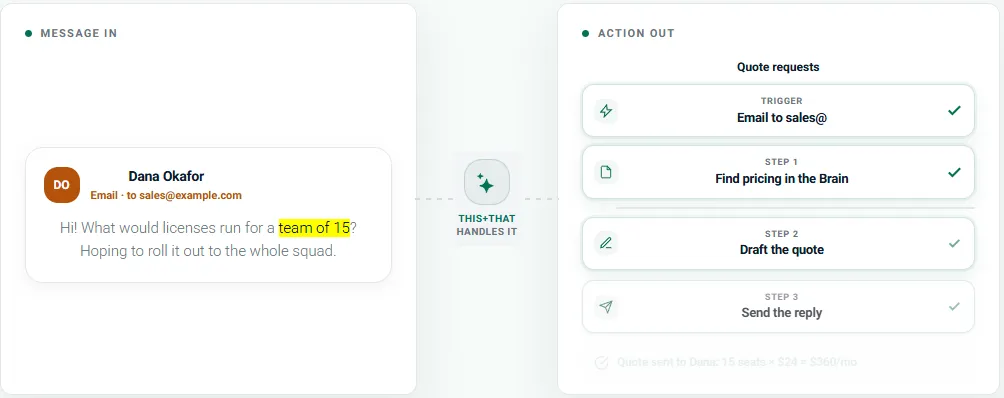
Once the noise is gone, what remains is mail that needs something from you - a report to review, an intro to chase, a decision to make. Left in the inbox, those messages turn email back into a to-do list. this+that closes that gap: it reads the messages you keep, across email, Slack, and Teams, and pulls the actions out of them into one tracked list, so the work gets captured and the message gets archived. The tagline is "Messages in. Actions out.", and that is an accurate description of the product. It is currently free, with Google and Microsoft sign-in, and it pairs naturally with a volume-reduction tool: ClearMyInbox shrinks what arrives, this+that turns what is left into work. Our guide to the inbox zero method covers where this step fits in the wider workflow.
Write faster: templates and snippets
A large share of email time is retyping the same replies. Text snippet tools fix that. Text Blaze lets you save reusable text and expand it with a short keyboard shortcut anywhere you type in the browser, including Gmail and Outlook on the web, with placeholders for names and dates. If you answer similar questions all day, templated responses cut your writing time sharply, as long as you personalize the first line so it does not read like a form letter.
Schedule and follow up: send later, remember to chase
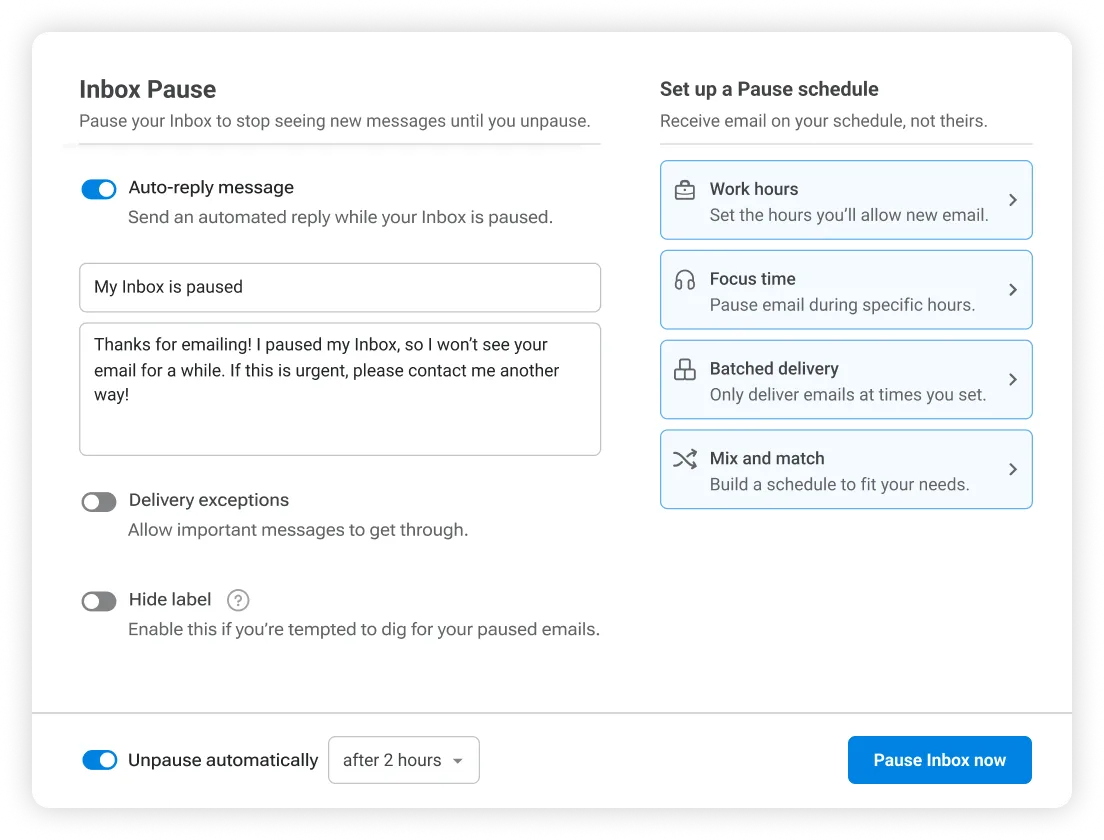
Timing matters, and so does following up. Boomerang, available for both Gmail and Outlook, lets you schedule messages to send at a better time and, more usefully, sets a reminder to resurface a thread if nobody replies by a date you choose. It also includes Inbox Pause, which holds new mail until you are ready for it so you can focus. A surprising amount of email productivity is simply not dropping the ball on things you are waiting on, and automatic follow-up reminders handle that for you.
How to actually build a stack
You do not need all of these. A sensible setup for most people is one measurement tool, one volume-reduction tool, and one writing tool. Measure with EmailAnalytics to find the real cost, cut the noise with ClearMyInbox so there is less to process in the first place, and speed up the replies that remain with snippets. Add a task-capture tool like this+that if your kept mail keeps turning into an unofficial to-do list, and scheduling and follow-ups only if your work depends on timing.
The goal is never more apps. It is less email, and less time spent on the email that is left. Start with the one category that hurts most right now, and add another only when the first is paying off.
Frequently asked questions
What is the best email productivity tool?▾
There is not a single best one, because the tools solve different problems. The most useful approach is to pick one tool per job: something to measure where your email time goes, something to cut the volume of mail you receive, and something to help you write replies faster. Stacking five apps that all promise inbox zero rarely helps.
Do these email productivity tools work with both Gmail and Outlook?▾
Most of the ones here do. EmailAnalytics, ClearMyInbox, and Boomerang all support Gmail and Outlook, and ClearMyInbox also covers Yahoo and any IMAP mailbox. Text snippet tools like Text Blaze work anywhere you type in the browser, including both. Always check the specific provider support before you commit, since it varies by tool.
What is the fastest way to reduce email volume?▾
Unsubscribe in bulk. The highest-leverage move is receiving less mail in the first place rather than sorting more of it. A bulk unsubscribe tool like ClearMyInbox scans your inbox, groups every newsletter and marketing sender, and lets you opt out of dozens at once, then verifies the senders actually stopped.
Are email analytics tools actually worth it?▾
For managers and customer-facing teams, yes. Tools like EmailAnalytics turn email activity into metrics such as average response time and volume by person and hour, which is genuinely useful when faster responses drive revenue. Individuals get value too, mostly from seeing how much time email really costs versus how much it feels like.
Can I use several of these tools together?▾
Yes, and a small stack usually beats one do-everything app. A sensible setup for most people is one measurement tool, one volume-reduction tool, and one writing tool, adding scheduling and follow-up reminders only if your work depends on timing.