The best email tracking and analytics tools for Gmail and Outlook
The best email tracking tools do one of two related jobs: they tell you the moment a message is opened, or they measure the bigger picture of how fast you reply and how much mail actually moves through your inbox. This roundup covers both sides for Gmail and Outlook, from real-time read receipts to full response-time and volume analytics, so you can pick the tool that answers the question you actually have rather than a suite you will never fully use.
Try ClearMyInbox free - bulk unsubscribe in one click, free to start.
Email tracking and analytics tools at a glance
| Tool | Best for | Works with | Free tier |
|---|---|---|---|
 EmailAnalytics EmailAnalytics | Response-time and volume analytics | Gmail, Outlook | 14-day trial |
| HHubSpot | Open and click tracking tied to a CRM | Gmail, Outlook | Yes - free tier |
| MMailtrack | Real-time read receipts | Gmail, Outlook add-in | Yes |
| MMixmax | Open and click tracking, sequences | Gmail | Yes - limited |
 Boomerang Boomerang | Read receipts and follow-up nudges | Gmail, Outlook | Yes - limited |
Email analytics: measure response time and volume
EmailAnalytics is the standout in the analytics half of this list. It connects to Gmail or Outlook and turns your team's email into clear metrics: response times, email volume, busiest hours, and who's carrying the load. Managers use it to catch slow replies before they cost a deal, since faster responses tend to mean more sales and happier customers. It runs quietly in the background and sends daily or weekly reports, with no extensions or manual tracking needed.
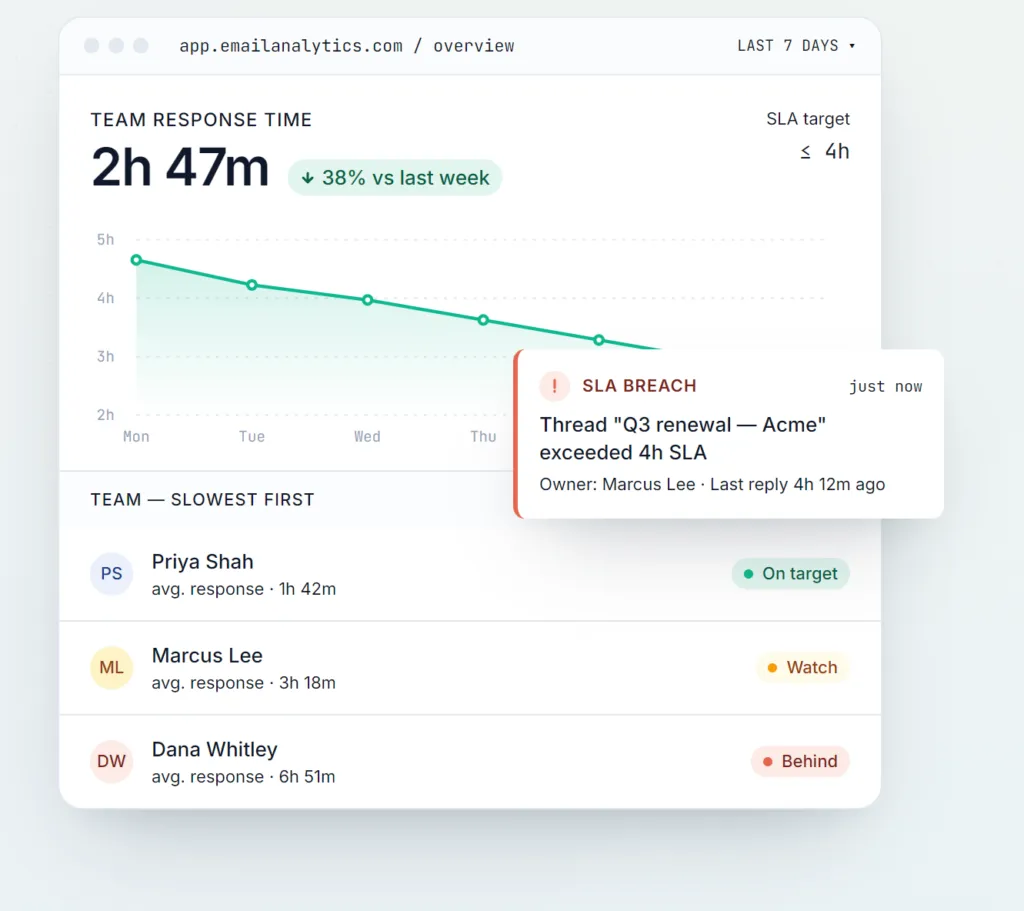
Analytics is the least flashy category here and often the most useful: you cannot improve a response time you have never measured, and most people badly underestimate how much of the day email really takes until they see it in the numbers.
Email tracking: know the moment a message is opened
Mailtrack adds real-time read receipts to Gmail, with an add-in for Outlook: a double check mark shows when, and how many times, your message was opened. It is the simplest way to stop wondering whether an important email was actually seen. The free tier tracks opens; paid plans add link tracking and daily reports.
Mixmax is a heavier, sales-oriented option for Gmail. Alongside open and click tracking it bundles templates, scheduled sends, and sequences, plus engagement analytics that show which messages actually get responses. If tracking is one part of an outbound workflow rather than an occasional check, Mixmax packages it with the rest, though it is Gmail-first rather than cross-provider.
HubSpot brings email tracking into a full CRM. Its free email tools add open and click notifications in Gmail and Outlook, so you get a real-time alert the moment a prospect opens your message or clicks a link, and every interaction is logged against the contact record. It is the natural pick if you already run HubSpot, or want tracking wired into your sales pipeline rather than bolted on as a standalone extension. EmailAnalytics has a detailed write-up of HubSpot's tracker if you want to go deeper.
Read receipts plus follow-up: Boomerang
Boomerang, available for both Gmail and Outlook, is best known for scheduling and follow-up reminders, but it also handles the tracking basics: read receipts, and a nudge to resurface a thread if nobody replies by a date you choose. If you want light open-tracking without adding a separate app, and value the follow-up reminders too, it covers both jobs in one place.
The metric that surprises everyone: volume
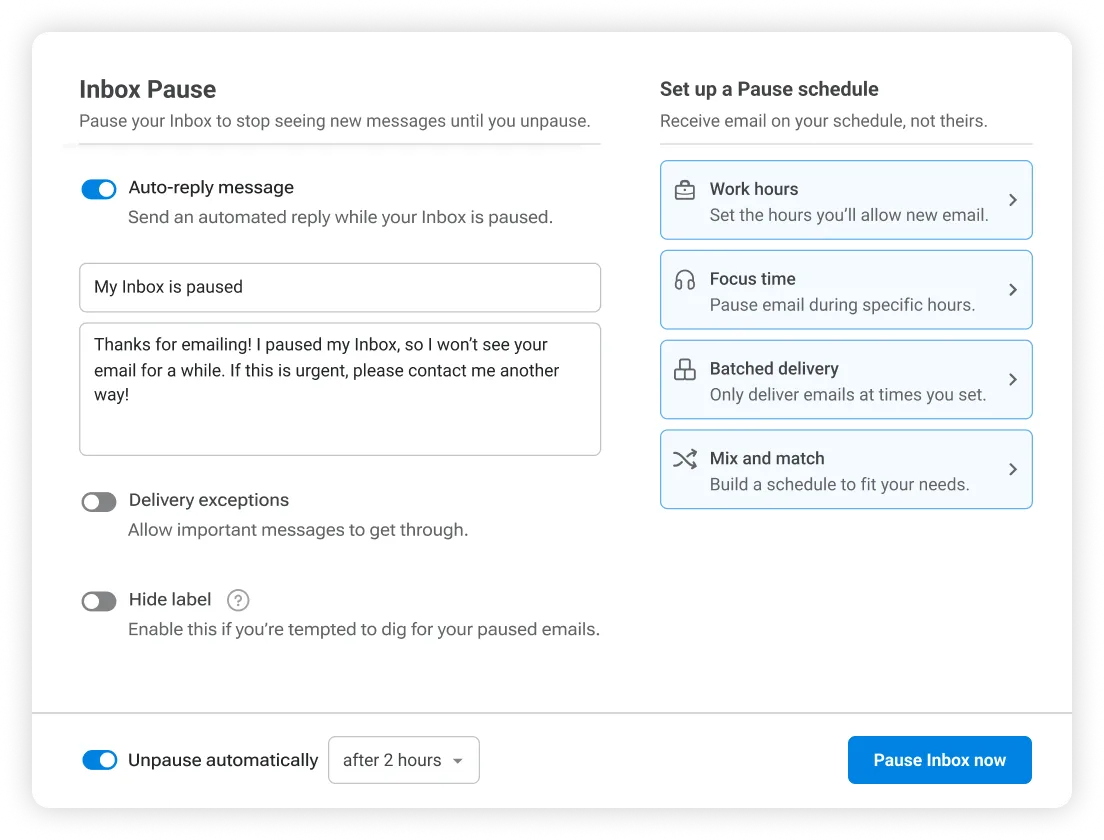
Once you start measuring, one number tends to jump out: volume. Most inboxes are dominated by newsletters and marketing mail nobody reads, and no tracking tool fixes that - it only measures it. The highest-leverage move is to receive less in the first place. That is the job ClearMyInbox does: it scans your inbox, groups every newsletter and promotional sender, and lets you unsubscribe from dozens at once across Gmail and Outlook, then re-checks each sender to confirm they genuinely stopped. Lower volume makes every response-time metric look better, because there is simply less to respond to. If you want to see how, our guide to Gmail mass unsubscribe walks through it.
How to choose
You probably need one of these, not five. If your question is "was this opened?", a read-receipt tool like Mailtrack is enough. If it is "how fast does my team reply, and where are the bottlenecks?", an analytics tool like EmailAnalytics is the right call. Sales teams that live in outbound get the most from an all-in-one like Mixmax. Start with the question you actually have, prove it earns its place, and only add a second tool when the first is paying off.
Frequently asked questions
What is the difference between email tracking and email analytics?▾
Email tracking is per-message: it tells you the moment a specific email is opened, usually with a read receipt. Email analytics is aggregate: it measures patterns across your inbox or team, such as average response time, volume, and busiest hours. Some tools do one, some do both. Pick based on whether your question is "was this opened?" or "how fast do we reply?".
Do email tracking tools work with both Gmail and Outlook?▾
It varies. EmailAnalytics, HubSpot, and Boomerang support Gmail and Outlook. Read-receipt tools like Mailtrack are strongest on Gmail with an add-in for Outlook, and Mixmax is Gmail-focused. Always check the current provider support before committing, since it changes.
Can the recipient tell they are being tracked?▾
Read receipts usually rely on a tiny tracking pixel the recipient does not see. Some mail clients block remote images by default, which can stop an open from registering, so tracking is not perfectly reliable. Analytics tools like EmailAnalytics work differently: they only measure your own account activity and do not track the people you email.
Are email analytics tools actually worth it?▾
For managers and customer-facing teams, yes. Turning email activity into metrics like average response time and volume by person and hour is genuinely useful when faster responses drive revenue. Individuals get value too, mostly from seeing how much time email really costs versus how much it feels like.
What is the fastest way to improve my response-time metrics?▾
Reduce inbound volume. Fewer newsletters and marketing emails means fewer messages competing for attention, so the ones that matter get answered faster. A bulk unsubscribe tool like ClearMyInbox cuts that volume at the source, which makes every response-time number look better because there is less to respond to.