How to stop Harbor Freight emails
To stop Harbor Freight emails, scroll to the bottom of your most recent Harbor Freight email and click Unsubscribe Here, which opens the email preferences page. That is the route Harbor Freight gives in its own guide. Texts are separate: text STOP to 34646. The printed catalogue is gone; Harbor Freight moved its coupons to email.
Try ClearMyInbox free - bulk unsubscribe in one click, free to start.
The Unsubscribe Here link, in Harbor Freight's words
Harbor Freight publishes a page called "How to Unsubscribe from Harbor Freight Emails" on its coupons site, go.harborfreight.com; we read it on 14 November 2026, and it is one sentence long: "If you would like to unsubscribe from Harbor Freight promotional emails, please scroll to the bottom of your most recent email and click 'Unsubscribe Here' to select your email preferences." The steps, then:
- Open your most recent Harbor Freight email. Harbor Freight says the most recent one, so use that rather than an old coupon email.
- Scroll to the bottom.
- Click Unsubscribe Here.
- On the email preferences page that opens, make your choice.
The guide says the link lets you "select your email preferences" and stops there; it does not list the options, so read the page when you get to it. There is normally nothing to sign in to; if more than one of your addresses gets the coupons, each needs its own click. This guide is built on go.harborfreight.com because harborfreight.com itself answers automated reads, live and in the Wayback Machine's copies, with a page titled "Access to this page has been denied"; if its support pages describe an account email setting or a second route, we could not read it and do not describe one.
Your mailbox may add its own Unsubscribe control above a Harbor Freight email, where the sender supports it; our guide to unsubscribing from emails on Gmail and the Outlook one, unsubscribing from emails on Outlook, show where it sits and what it sends.
Stop Harbor Freight texts
Texts are their own list with their own exit. Harbor Freight's "Sign Up for Harbor Freight Text Messages" page says: "Text STOP to 34646 to stop all future promotional messages from Harbor Freight (you may receive one automated text message to confirm you have been unsubscribed). Text HELP to 34646 for Help." Reply from the phone the texts arrive on. Unsubscribing from email does nothing to the texts, and the STOP keyword does nothing to the email.
Where the catalogue went
If you came here looking for the catalogue opt-out, there is no longer a catalogue to opt out of. Harbor Freight's page "Where Is My Harbor Freight Tools Catalog?" explains: "We've changed the way we deliver the great savings you count on at Harbor Freight. We've moved from sending printed coupons and mailed monthly catalogs, to a digital format that makes it possible to send you even more savings, more often." It goes on: "the best way to learn about our promotions is by email", and names the Harbor Freight Mobile App for iOS and Android as the other place to find deals. In other words, the emails are the catalogue now, which is why there are so many of them and why the Unsubscribe Here link is the switch that matters.
Stop Harbor Freight emails on your phone
Harbor Freight's instruction works on a phone exactly as it does on a desktop, because it lives in the email rather than in an account: find the most recent coupon email in whatever mail app you use, go to the very end, tap Unsubscribe Here and pick from the preferences page when it opens in your browser. The Harbor Freight app is a separate channel for deals, and its alerts are governed by the phone's own notification settings for that app rather than by this link.
What to expect to keep
Harbor Freight's guide is about "promotional emails", and that is the scope of the link. Its readable pages say nothing about order confirmations, shipping notices or Inside Track Club membership mail, so we cannot tell you from Harbor Freight's own words whether those are a separate stream or how an unsubscribe affects them. Only a brand's own page can put order mail outside a marketing opt-out, and Harbor Freight's pages do not do that. So if you end up blocking, keep it to the promotional sender; a block on the whole domain could take receipts with it.
When Harbor Freight emails keep coming
- The first ten business days: federal law in the US allows senders that long to process an opt-out, so a coupon email dated inside that window tells you nothing yet. Harbor Freight's guide gives no timescale of its own.
- A different inbox: the link only knew one address. Find a recent Harbor Freight email in the other inbox and use its link.
- An old email: Harbor Freight's instruction is "your most recent email". If you clicked in an old one, do it again from the newest.
- Still coming: block or filter the exact promotional address at your mailbox. The provider's own steps are in our guides to blocking an email address in Gmail, blocking emails on Outlook, blocking emails on Yahoo and blocking emails on iPhone. Block the marketing address, not every harborfreight.com sender.
What ClearMyInbox does with Harbor Freight and every other store
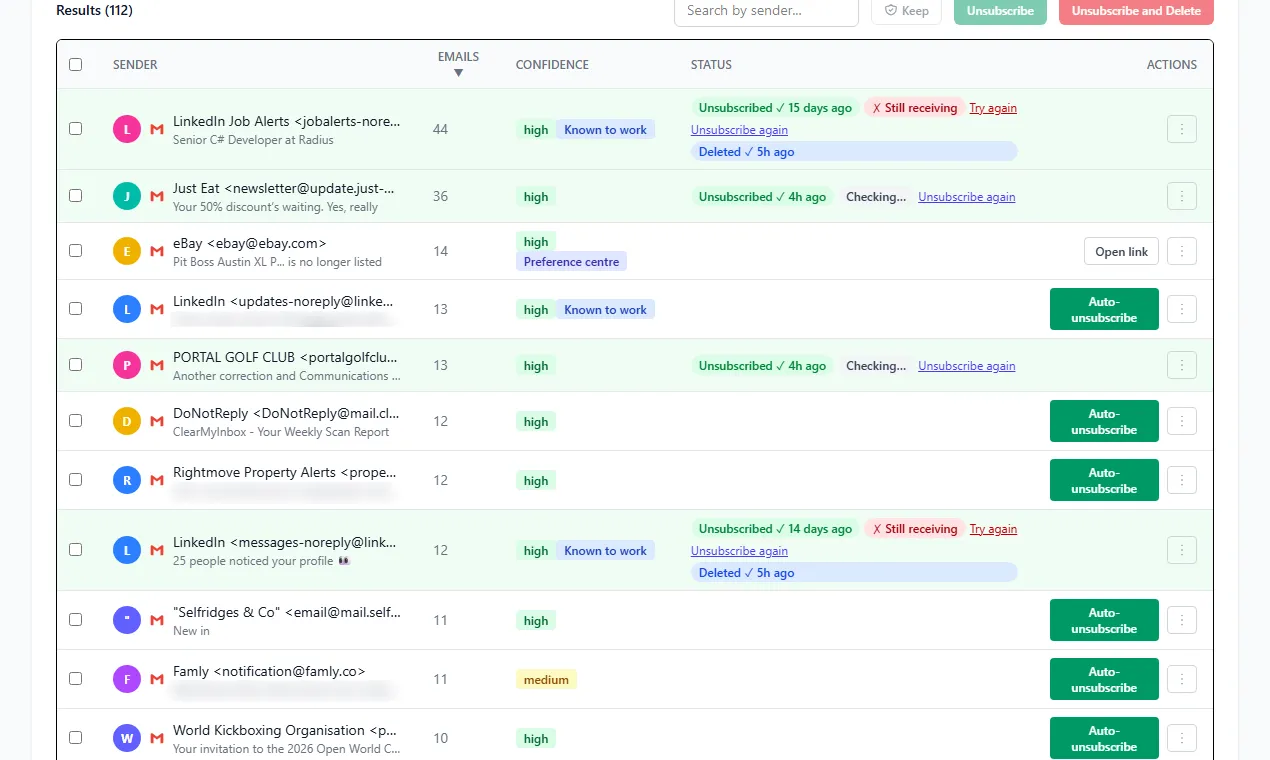
A tool shop that sends its catalogue by email is rarely the only retailer doing it. ClearMyInbox connects to your Gmail, Outlook, Yahoo or any IMAP mailbox, scans it for every sender with an unsubscribe link, and unsubscribes from the ones you pick in one go. It then re-checks each sender and labels it Confirmed stopped or flags it as still emailing, so a coupon stream that did not stop shows as a flag in a table instead of tomorrow's 20% off. The Free plan includes 10 automatic unsubscribes a month, and manual ones are unlimited. Our guide to stopping shopping emails has the rest of the retail playbook.
Frequently asked questions
Is there an email setting in my Harbor Freight account?▾
Not one we could read. Harbor Freight's own unsubscribe guide gives one route, the Unsubscribe Here link at the bottom of your most recent email, which "select[s] your email preferences". The customer support pages on harborfreight.com answer automated reads with "Access to this page has been denied", so if an account toggle exists there, we could not confirm it.
How do I stop Harbor Freight texts?▾
Text STOP to 34646. Harbor Freight's text sign-up page says that stops "all future promotional messages from Harbor Freight (you may receive one automated text message to confirm you have been unsubscribed)", and that HELP to the same number gets help. Email and text opt-outs are independent of each other: the link does nothing to texts, and STOP does nothing to email.
Why did my Harbor Freight catalogue stop coming?▾
Because Harbor Freight stopped printing it. Its page "Where Is My Harbor Freight Tools Catalog?" says: "We've moved from sending printed coupons and mailed monthly catalogs, to a digital format", and that "the best way to learn about our promotions is by email", with the app as the other channel. The coupons you used to get by post now come as the emails this guide is about.
Can I keep the coupons but get fewer Harbor Freight emails?▾
Harbor Freight's guide says the Unsubscribe Here link is there "to select your email preferences", which is the only hint that the page offers choices rather than a single off switch. The guide does not list them, so read the page when you get there. If the only choice is off, a mailbox filter that files the promotional sender keeps the coupons reachable without the daily arrival.