Why am I getting emails from Neighborhood Alerts?
Neighborhood Alerts emails come from Home Media, LLC of Raleigh, North Carolina, a company that sells home-improvement leads under the name Home Solutions. Its privacy policy says it "automatically" enrols anyone who enters details on one of its websites, which is why a roofing or solar quote turns into crime, pet and home-value alerts. Legitimate, but aggressive by design.
Try ClearMyInbox free - bulk unsubscribe in one click, free to start.
Who runs Neighborhood Alerts?
The site, neighborhoodalerts.com, read on 13 November 2026, describes itself as "a free service for homeowners" that emails about "crimes, lost pets, registered offenders, real estate for sale, building permits", plus changes to your estimated home value, severe weather, new bars and restaurants, and "home improvement deals". Its About page says the service is "owned and operated by Home Solutions", and the footer reads "Copyright ©2026 Home Media LLC". The privacy policy and terms join the two names: "Home Media, LLC d/b/a Home Solutions", 1122 Oberlin Road, Raleigh, NC 27605, under North Carolina law.
Home Solutions' own site calls the company "The Growth Infrastructure for Home Services" and says its "proprietary media, data and AI-native technology delivers customers at scale for enterprise brands" in gutters, roofing, foundations, windows, siding, lawn care, remodelling, solar, home warranties and auto warranties, from dual headquarters in Charlotte and Raleigh. It mentions Neighborhood Alerts once, as one of the "product and partner audiences" that give its advertisers "new, cost-effective reach". That sentence is the business reason the alerts exist. The alert data itself is "sourced from 3rd party data providers", the About page says, and the company cannot correct it.
How did Neighborhood Alerts get my email address?
The privacy policy, last updated 1 April 2025, answers this in one sentence: "We automatically enroll users who enter information on one of our Websites into the Neighborhood Alerts program." The "Websites" are "any website or mobile application that is part of the portfolio we own", which the policy does not list by name; the forms it describes are "Get a Quote", "Find a Local Company", quizzes and inquiries. So if you once asked for a roofing, gutter, window, solar or warranty quote on a site you did not realise belonged to Home Solutions, your address, and the property address you typed in, went into Neighborhood Alerts without a separate sign-up.
The policy is unusually frank about why. It says "our business model relies on selling your customer information entered on our websites to businesses", that a lead "may be sold to another network provider", and that the company uses ActiveProspect's TrustedForm to record your consent at the moment you submit a form. The Terms say submitting a form is consent "to receive emails, telephone calls, text messages or any other communications from us". None of this involves a pre-ticked newsletter box in the usual sense; the enrolment is automatic, which our guide to pre-checked opt-in boxes treats as the same consent problem by another route. The policy also says it may share data with "trusted partners" for targeted advertising, and offers a Do Not Sell or Share form for residents of states that give that right.
How do I unsubscribe from Neighborhood Alerts emails?
There are two separate switches, and the policy names both. For the alerts: "If you wish to turn off all notifications you may do so at any time by visiting the Neighborhood Alerts page", where each alert type has its own toggle. For marketing email from Home Solutions and its partners: "following the "unsubscribe" instructions" in each email. The FAQ page, oddly, covers changing your address but not leaving, so here are the steps from the pages that do:
- Click the unsubscribe link in the footer of a Neighborhood Alerts email. That handles the email stream you are holding.
- Go to neighborhoodalerts.com and choose Sign in. Sign-in is passwordless: you enter the address the alerts arrive at and follow the link it emails you.
- On your dashboard, open the alert settings and turn off every alert type, or turn off all notifications. The FAQ notes the dashboard also has an Edit Address button under your property, which is where to check whether the alerts are tied to an old home.
- If you also get texts, the policy says calls and texts may use automated systems; use the "Do Not Sell or Share My Personal Information" form, or email privacy@homesolutions.com, to ask for all contact to stop.
The one warning the policy gives is about the leads already sold: "we may not always be able to prevent a company from contacting you when they have purchased a lead from us", so a contractor who bought your quote request will need telling separately. The routes are the same on a phone; the passwordless sign-in works from the mail app.
Is it safe to click the unsubscribe link in a Neighborhood Alerts email?
For a genuine one, yes. The sender is a named company with a published address and a policy that points to the footer link, and the alerts themselves link back to neighborhoodalerts.com. Check that the email is genuine before clicking anything: "neighborhood alert" is also a phishing subject line, and people on Reddit report look-alike emails with no connection to this company. If the links do not lead to neighborhoodalerts.com or homesolutions.com, run one through our unsubscribe link safety checker and use the dashboard route above instead.
What if the alerts keep coming?
Automatic enrolment means a new quote request on any Home Solutions site re-enrols you, so the alerts can return months after you turned them off. If that happens, turn them off again on the dashboard, send a request to privacy@homesolutions.com asking for your address to be suppressed across all of the company's sites, and block the sending domain so a third enrolment never lands. Our guides to blocking a sender in Gmail, blocking a sender in Outlook, blocking a sender in Yahoo Mail and blocking a sender on an iPhone each show where the control is. If what you actually want is neighbourhood news without the lead generation, Nextdoor is the usual alternative, and it has its own volume problem; see our guide to unsubscribing from Nextdoor emails.
What ClearMyInbox does with a sender like Neighborhood Alerts
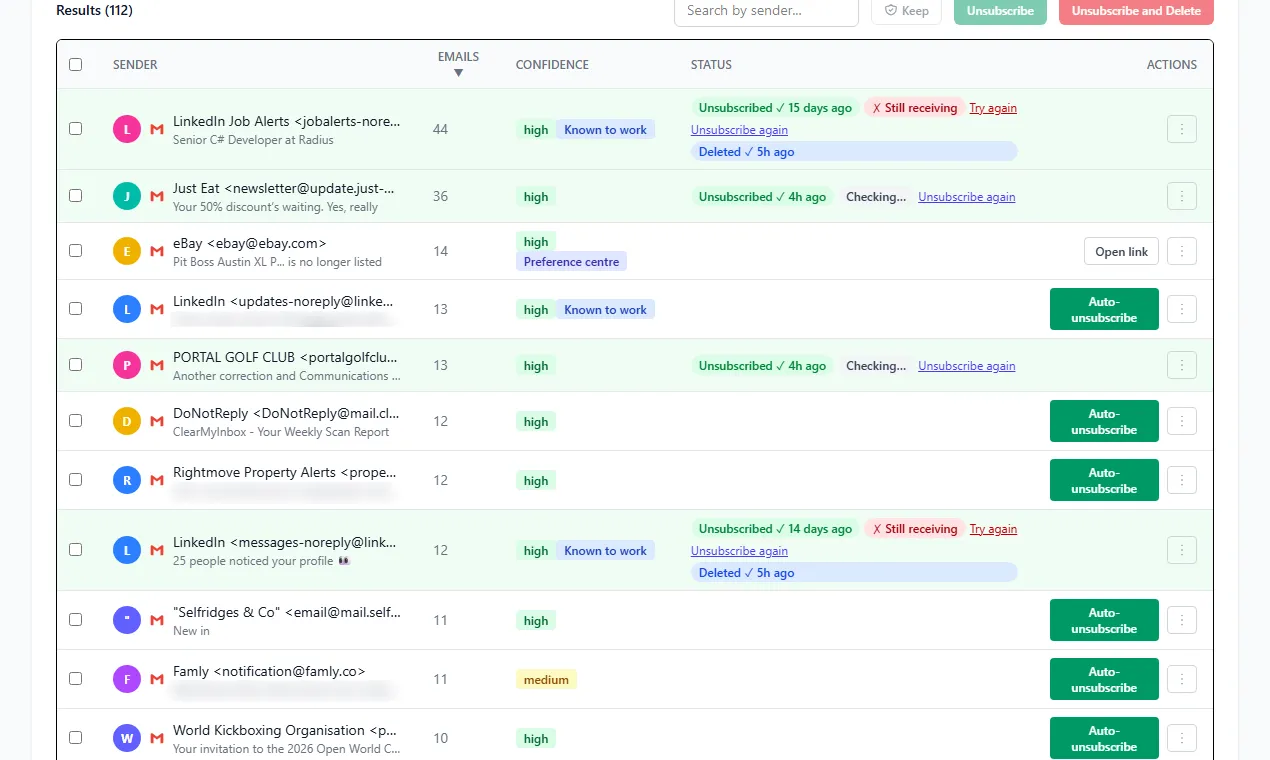
A home-improvement quote rarely produces one sender: the alerts, the Home Solutions marketing and the contractors who bought the lead all arrive separately. ClearMyInbox connects to your Gmail, Outlook, Yahoo or any IMAP mailbox, lists every sender with an unsubscribe link, and sends the requests for all the ones you tick in one pass. It then re-checks each sender and labels it Confirmed stopped or flags it as still emailing, so a re-enrolment shows up as a flag rather than as another month of crime alerts.
Frequently asked questions
Is Neighborhood Alerts legit?▾
Yes, in the sense that matters: a real company with a Raleigh address runs it, its privacy policy explains the enrolment and the business model in plain words, and its dashboard lets you turn the alerts off. It is also, by its own description, a lead-generation audience, so expect home-improvement offers alongside the crime and pet alerts.
Is Neighborhood Alerts a scam?▾
Nothing on the company's pages or in any regulator record we could cite supports calling the service a scam. The alert data comes from third parties and the company says it cannot correct it, so treat a specific alert as a prompt to check, not as fact. Separately, phishing emails using the words "neighborhood alert" exist; a genuine one links to neighborhoodalerts.com.
Why did I get Neighborhood Alerts when I never signed up?▾
Because you entered details on a Home Solutions website, most likely a quote form for roofing, gutters, windows, solar or a home warranty, and the policy says that enrols you automatically. The property address in the alerts is the one you typed into that form.
How do I stop Neighborhood Alerts texts and calls as well as emails?▾
Turn off all notifications on the dashboard, then email privacy@homesolutions.com or submit the Do Not Sell or Share form asking for all contact to stop. Contractors who already bought your lead must be told individually; the policy says the company cannot stop them for you.