How to stop Abercrombie emails
To stop Abercrombie emails, open one, scroll to the footer and click Unsubscribe. That is the only email opt-out Abercrombie documents: its US help centre covers orders, returns, shipping, tracking, gift cards and the myAbercrombie rewards programme, and documents no email preferences page. Repeat the click for every address Abercrombie writes to.
Try ClearMyInbox free - bulk unsubscribe in one click, free to start.
The footer link is Abercrombie's only documented way out
Every Abercrombie & Fitch marketing email ends with the small print, and the unsubscribe link lives there, under the product grid and the store locator. Click it, confirm on the page that opens, and that address comes off the list. The link is tied to the address the email was delivered to, so it needs no sign-in and works even if you never created a myAbercrombie account, which is common: the Subscribe box in the abercrombie.com footer takes an Email Address and a Join button, and the "Subscribe To Abercrombie & Fitch" prompt it opens asks for the email and nothing else.
The same fact cuts the other way. If Abercrombie has two addresses for you, one from a checkout and one from a store, each stream carries on until you click the link in an email sent to that address. Gmail and Outlook also show their own Unsubscribe control at the top of a message whose sender supports it; our guides to unsubscribing from emails on Gmail and on Outlook show where it is and what it sends.
Does Abercrombie have an email preferences page?
Not one it documents. The live US help page sends visitors outside the US to their regional store, so we read the Wayback Machine's 26 October 2026 capture of abercrombie.com/shop/us/help and its 5 November 2026 capture of the My Abercrombie Rewards page. The help page opens with "Hi, How Can We Help?" and five quick links: Track My Order, Start My Return, Track My Return, Look Up My Order and Check Gift Card Balance, with Chat With Us and Phone Numbers beside them. The footer's Help column lists Customer Help, About myAbercrombie, Order Help, Shipping & Handling, Online Returns, Track My Order, Gift Cards & E-Cards Balance, My Info, Gift Cards and Find a Store. None is an email topic.
The My Abercrombie Rewards page describes the programme (10 points per dollar, 2,500 points for a $10 reward, special member pricing, birthday and anniversary offers, 100 points for signing in) and says nothing about email. The footer's legal links are Privacy / Ad Cookies and myAbercrombie Terms; the privacy notice loads behind a bot check that stopped us reading it, so if it describes an email route, we could not confirm it. On what Abercrombie publishes, the footer link is the switch, and no frequency or pause option is documented: on or off, per address.
Stop Abercrombie emails on your phone
Abercrombie documents no email setting in its app, and because the route is the email itself, the phone needs nothing extra. Open the latest Abercrombie email in the Gmail, Outlook or Mail app, scroll to the end and tap Unsubscribe. In the Gmail and Outlook apps the header also offers the mailbox's own Unsubscribe button for senders that support it. Push notifications from the app are a separate matter, controlled in your phone's notification settings for the app.
What to keep: order and account emails
Unsubscribing takes you off the marketing list. An order confirmation, a shipping notice or a return label is sent because of something you did, not because you are on that list, so expect those to keep arriving after you opt out. Abercrombie does not document them as a separate category, which is one more reason not to block the whole abercrombie.com domain: a block in your mailbox would file the return label in Spam along with the promotions.
If what you want is the marketing out of sight but the receipts in view, a mailbox filter does that more precisely than a block. Match the promotional sender's exact address and archive or label it; the order emails, which come from a different address, stay in the inbox.
When Abercrombie emails keep coming
- Give it ten business days. US law allows a sender that long to honour an opt-out, and mail already scheduled will land in the meantime.
- Check the To address on the new email. A second address needs its own unsubscribe click, as above.
- Check the sender. Hollister is one of Abercrombie & Fitch Co.'s brands (the help page's Our Brands footer shows Abercrombie, abercrombie kids and Hollister), but its emails are a separate list with their own footer link. Our Hollister emails guide covers it.
- Then block the exact address. If a promotional address you opted out of is still writing after the ten days, block it at the mailbox. We have the provider's own steps for Gmail, Outlook, Yahoo Mail and the iPhone Mail app. Block the marketing address, not the domain.
Ask Abercrombie directly
The US help page offers Chat With Us and Phone Numbers at the top, under "Hi, How Can We Help?". If the footer link fails twice on the same address, that is the route to use: give the address the emails arrive at and ask for it to be removed. Keep the email that arrived after your opt-out; the date on it is the evidence that the request was not honoured.
What ClearMyInbox does with Abercrombie and the rest of your shops
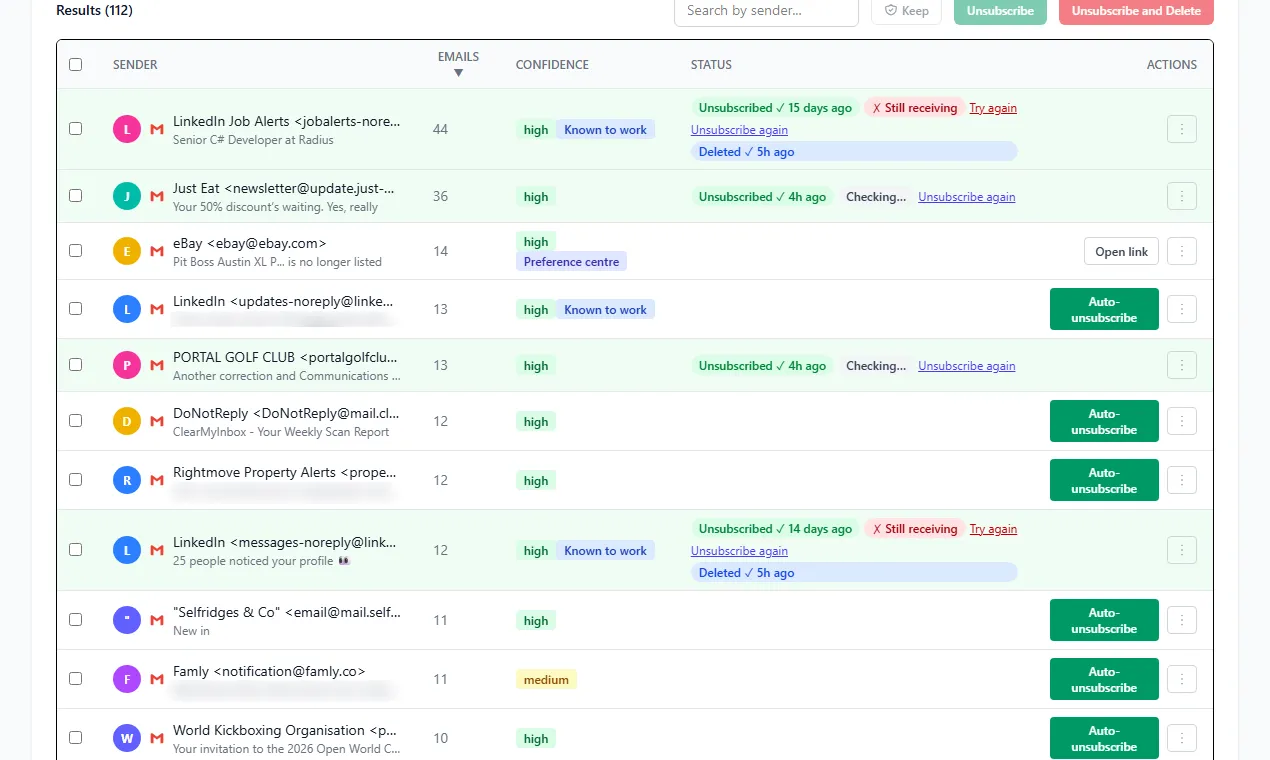
One retailer with one footer link is a minute's work. Twenty of them, each writing to two addresses, is an afternoon. ClearMyInbox connects to your Gmail, Outlook, Yahoo or any IMAP mailbox, scans it for every sender with an unsubscribe link, and unsubscribes from the ones you pick in one go. It then re-checks each sender and labels it Confirmed stopped or flags it as still emailing, so a list that ignored the click shows up as a flag rather than as another promotion. The Free plan includes 10 automatic unsubscribes a month, and manual ones are unlimited.
Frequently asked questions
Why am I getting Abercrombie emails I never signed up for?▾
The documented sign-up is the Subscribe box in the abercrombie.com footer, which asks for an email address and opens the "Subscribe To Abercrombie & Fitch" prompt. Whether an address given at checkout or on an emailed store receipt is also used for marketing is not something Abercrombie's pages state. A shared household address collects everyone's sign-ups, so one person's Join subscribes everyone who reads that inbox. The fix is the same footer link whichever way the address got there.
Does unsubscribing close my myAbercrombie account?▾
Nothing Abercrombie publishes ties the email list to the membership: the My Abercrombie Rewards page is about points, pricing and offers, and the unsubscribe link only removes an address from marketing. Expect your account, order history and points to stay. If a message about the membership itself arrives after you opt out, it was sent as an account message rather than a promotion.
Can I pause Abercrombie emails for a season?▾
Not with a documented setting; Abercrombie documents no frequency or pause option. The practical pause is to unsubscribe now and re-enter your address in the footer Subscribe box when you want the offers back. A Gmail filter that archives the marketing address is the other option: the emails still arrive, they just skip the inbox.
Should I block Abercrombie instead of unsubscribing?▾
Unsubscribe first. A block only moves each email to Spam; the sender keeps sending and your receipts go with it. Block is for the marketing address that ignores the footer link, and even then, block that address rather than every abercrombie.com sender. For the wider habit, our guide to stopping shopping emails covers how retail lists are built and how to leave them in bulk.