How to stop New York Times emails
To stop nytimes emails, sign in to your New York Times account, open Email and Settings, click Remove next to each newsletter and Opt out under Marketing communications, or click Unsubscribe in the footer of the email itself. Account messages such as billing and security alerts cannot be turned off, and The Athletic's emails have a separate switch.
Try ClearMyInbox free - bulk unsubscribe in one click, free to start.
Three kinds of New York Times email, three different switches
The Times' help article "Manage Email Preferences For The New York Times" sorts its email into categories, and the switch depends on which one you are holding:
- Newsletters, such as The Morning, Cooking or the Morning Briefing. Each is a separate subscription you add or remove one at a time.
- Marketing communications, which the account page labels "Updates and special offers". One opt-out covers them.
- Account updates: security alerts, billing and time-sensitive notifications. The help article says plainly that you cannot unsubscribe from these.
The Athletic is a fourth stream with its own settings page, covered below.
Remove newsletters in Email and Settings
The Times' own steps, from the help article:
- Sign in and open the Email and Settings page of your account (it opens at nytimes.com/account/settings).
- Scroll to the Newsletters section. It lists every newsletter you are signed up for.
- Select Remove next to each newsletter you no longer want.
The Email Newsletters help article adds that the public newsletters page shows a check mark on each one you already receive, which is a quick way to see how many you have accumulated before you start removing.
Opt out of New York Times marketing emails
- On the same Email and Settings page, scroll to Marketing communications.
- Select Opt out next to Updates and special offers.
That is the whole promotional stream. The help article notes you can select Opt in on the same line later if you change your mind.
The unsubscribe link in the footer
Both help articles say you can select Unsubscribe in the footer of any Times marketing email or newsletter at any time. The link is specific to the email: in a newsletter it removes that newsletter, in a marketing email it opts you out of marketing. The privacy policy adds two more routes for the stubborn cases: email privacy@nytimes.com, or call 1-800-NYTIMES (1-800-698-4637), which is also the number for stopping postal and telephone solicitations. The same policy says an opt-out "won't prohibit us from sending you important nonmarketing notices", which is the account-updates category again.
The Athletic has its own switch
The Athletic's newsletters are "managed separately from New York Times newsletters", in the help centre's words, and nothing you do on the Times page touches them. The Athletic Newsletters help article gives two routes to the same Athletic account settings:
- On nytimes.com/athletic: select You in the top right, then Your Account.
- In The Athletic app: select Account in the bottom right of the home screen, then Email Preferences.
Each newsletter and the marketing communications line has a checkbox; untick to unsubscribe. The Athletic's newsletters arrive from TheAthletic@e1.theathletic.com, so a Times-branded sender and an Athletic one in the same inbox are two jobs.
New York Times emails on your phone
The help centre's email routes are the account page and the footer link, and both work in a phone browser: open nytimes.com/account/settings in Safari or Chrome, sign in, and the Newsletters and Marketing communications sections are the same. The Times does not document an email toggle inside the New York Times news app, so do not look for one there. The Athletic app is the exception, with the Account and Email Preferences route above.
Unsubscribing from emails is not cancelling your subscription
Removing newsletters and opting out of marketing leaves your paid subscription, your access and your billing exactly as they were. Cancelling is a different page: the help article Cancel Your Subscription sends you to Subscription Overview in your account and the Cancel your Subscription link, or to Customer Care chat. A subscription bought through Apple or Google Play is cancelled with Apple or Google, not the Times. If your goal was quieter email rather than no subscription, stay on the Email and Settings page.
When New York Times emails keep coming
- Two accounts. The Email Newsletters article says duplicate newsletters usually mean two sign-ups, often one made with Sign in with Apple. If the To address is a privaterelay.appleid.com address, that is the second account; unsubscribe from it with the footer link in one of its emails.
- The wrong switch. A newsletter Remove does not stop marketing, and the marketing opt-out does not stop newsletters. Check both sections of Email and Settings, then The Athletic's page.
- Account mail. Billing and security messages continue by design.
- Then filter or block. The Times names its newsletter senders in the troubleshooting section: nytdirect@nytimes.com, nyt@service.newyorktimes.com and reply@service.newyorktimes.com. If one keeps writing after an opt-out, block or filter that exact address using our guides for Gmail, Outlook, Yahoo Mail and the iPhone Mail app, and leave the account address alone so receipts and security alerts still reach you.
What ClearMyInbox does with newsletters you stopped reading
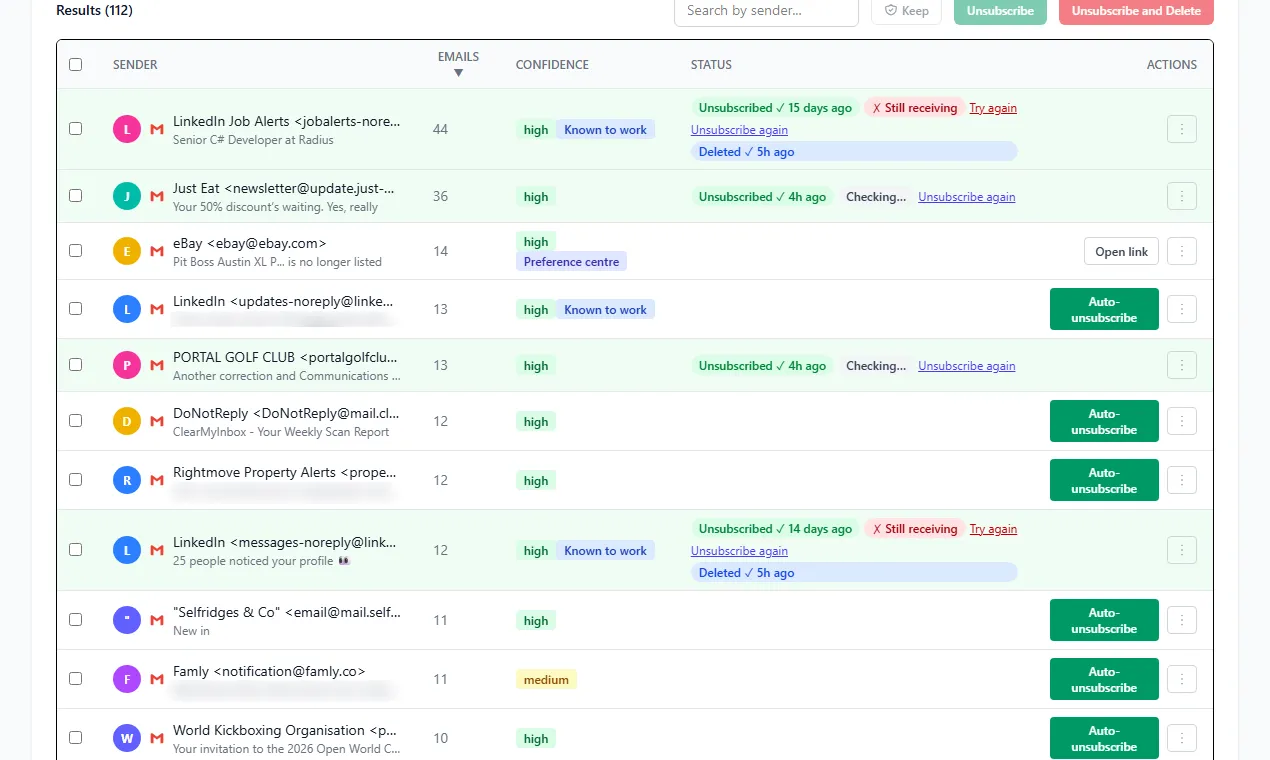
Newspaper newsletters pile up because each one was a good idea at the time. ClearMyInbox connects to your Gmail, Outlook, Yahoo or any IMAP mailbox, scans it for every sender with an unsubscribe link, and unsubscribes from the ones you pick in one go. It then re-checks each sender and labels it Confirmed stopped or flags it as still emailing, so a newsletter that came back from a second account is a flag rather than a mystery. The Free plan includes 10 automatic unsubscribes a month, and manual ones are unlimited.
Frequently asked questions
How do I stop The Morning but keep Cooking?▾
In the Newsletters section of Email and Settings, select Remove next to The Morning only. Each newsletter is its own line, so removing one leaves the others running. The footer link in a single newsletter does the same thing for that newsletter.
Why did a Times newsletter stop arriving on its own?▾
The Email Newsletters article lists the causes it sees: the newsletter was removed from your account, it went to Spam or a Promotions tab, your inbox was full, or you had not opened it for several months, after which delivery can stop. Check the Newsletters section first, then your spam folder, and add the sender addresses above to your contacts.
Can I turn off New York Times billing or security emails?▾
No. The help article says you cannot unsubscribe from messages about account updates, and gives security alerts, billing and time-sensitive notifications as the examples. They stop only when the account closes. Deleting a registered account is possible at nytimes.com/account, which the privacy policy describes, but that is a much bigger step than quieter email.
Is the Wall Street Journal the same?▾
Different company, similar shape: newsletters managed in an account hub, marketing as a separate opt-out, and billing mail that stays. Our guide to WSJ emails covers its hub.